![logga.png]](https://forum.higher.nu/hs-fs/hubfs/logga.png?height=40&name=logga.png)
Auto Rejected will be locked for editing due to technical reasons. This means that you won't be able to move candidates to or from this column after 1st of October 2023. We will also change it's name to "Skills Rejection" in order to clarify its proper function in Higher.
Why we're doing this change
Auto Rejected in the recruitment board is a system functionality which enables Higher to automatically sort candidates based on what score they've received in the Skills module. In the example below we see a job ad with a threshold of 90%. This means that all candidates who scores below 90% in the Skills module, will be automatically rejected by the system.
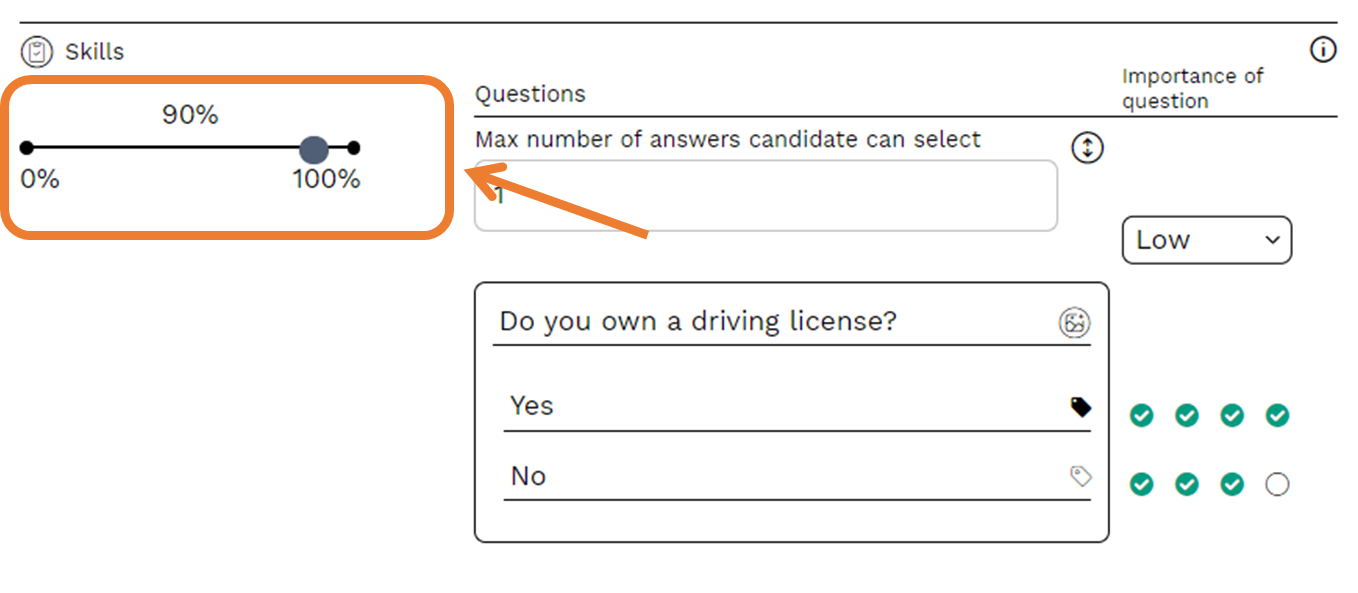
These candidates will be placed in column "Auto Rejected" in the recruitment board and will have their score colored red to indicate that they haven't met the desired qualifications to proceed in the recruitment process.
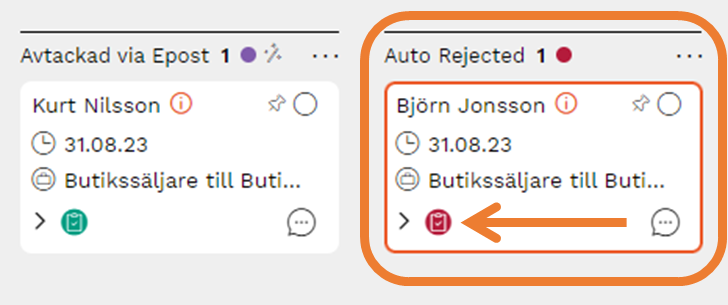
💡 Note that Björn Jonsson have a red color on his score compared to Kurt Nilsson who has a green color on his score.
What happens now?
Starting from October 2023 "Auto Rejected" will be renamed to "Skills Rejection" to clarify the use of this column and will be locked for editing. Any candidate cards that are still present in this column after this change, will be locked locked to this column. You won't be able to manually place a candidate card in that column either.
If you, as a customer, are using this column for purposes other than what it was originally intended for, we advise you to review this.
Which options do I have?
1. Create a new column and use the new one
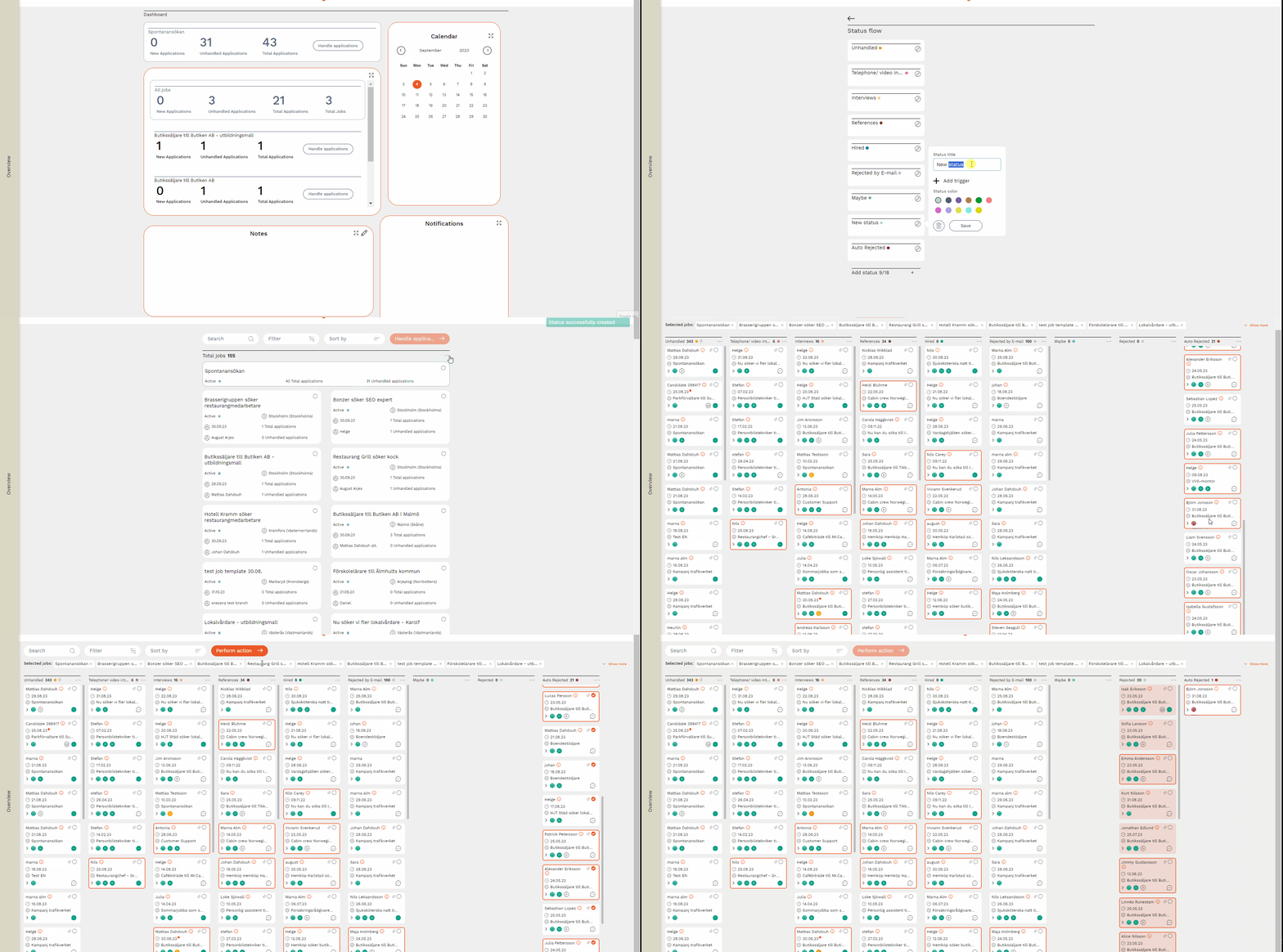
Common use cases have been to place candidates there whom one does not want to proceed with in the process. In these cases we recommend you to create a new column, for example, "Not interesting" or "Rejected". When created, move all candidates that have a GREEN score, from "Auto Rejected" to the newly created column. Let everyone with a RED score remain in "Auto Rejected". See instructions below.
2. Do nothing at all
Of course, you can choose not do anything. If that's the case then you as a customer need to know that you won't be able to move those candidate cards that are remains in the column after the change. Moving forward, this means that the column "Auto Rejected" will only be populated with candidate cards from those job ads for which you set thresholds according to the image below.
I'm using all 18 offered columns, what do I do?
Those of you who are using all 18 columns it can be quite challenging to work around the upcoming change. In these cases we recommend you to contact one of us at Higher for further assistance. Perhaps we can help you optimize your workflow when working with Higher and reduce the amount of columns needed.