
- Higher | Help Center
- Recruitment board
- Recruitment board
Hide candidates
Read more about how to keep it tidy on the recruitment board.
If you feel that there are too many candidate cards visible on the recruitment board, you can hide them.
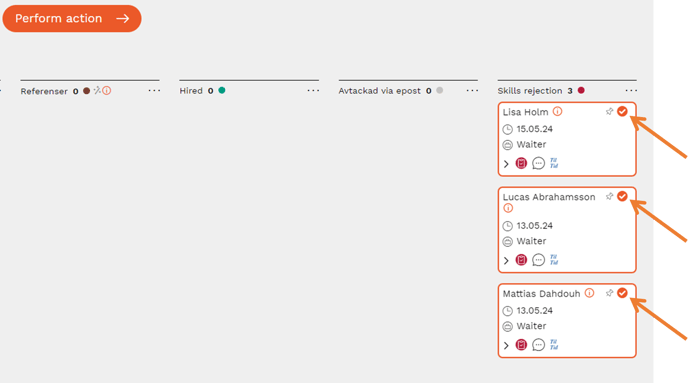
1. Select the candidates you want to hide
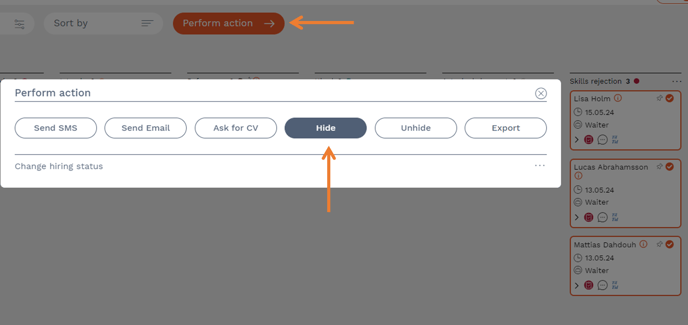
2. Press "Perform action" and then "Hide"
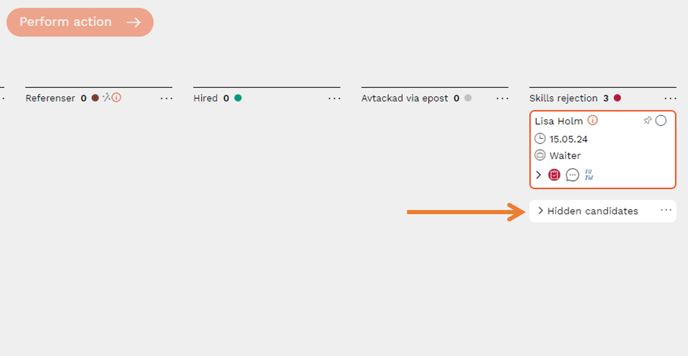
3. When you press "Hide", the candidates you previously marked will be hidden behind a group called "Hidden candidates". It always appears at the bottom of the candidate cards. Each column can have a group of hidden candidates.
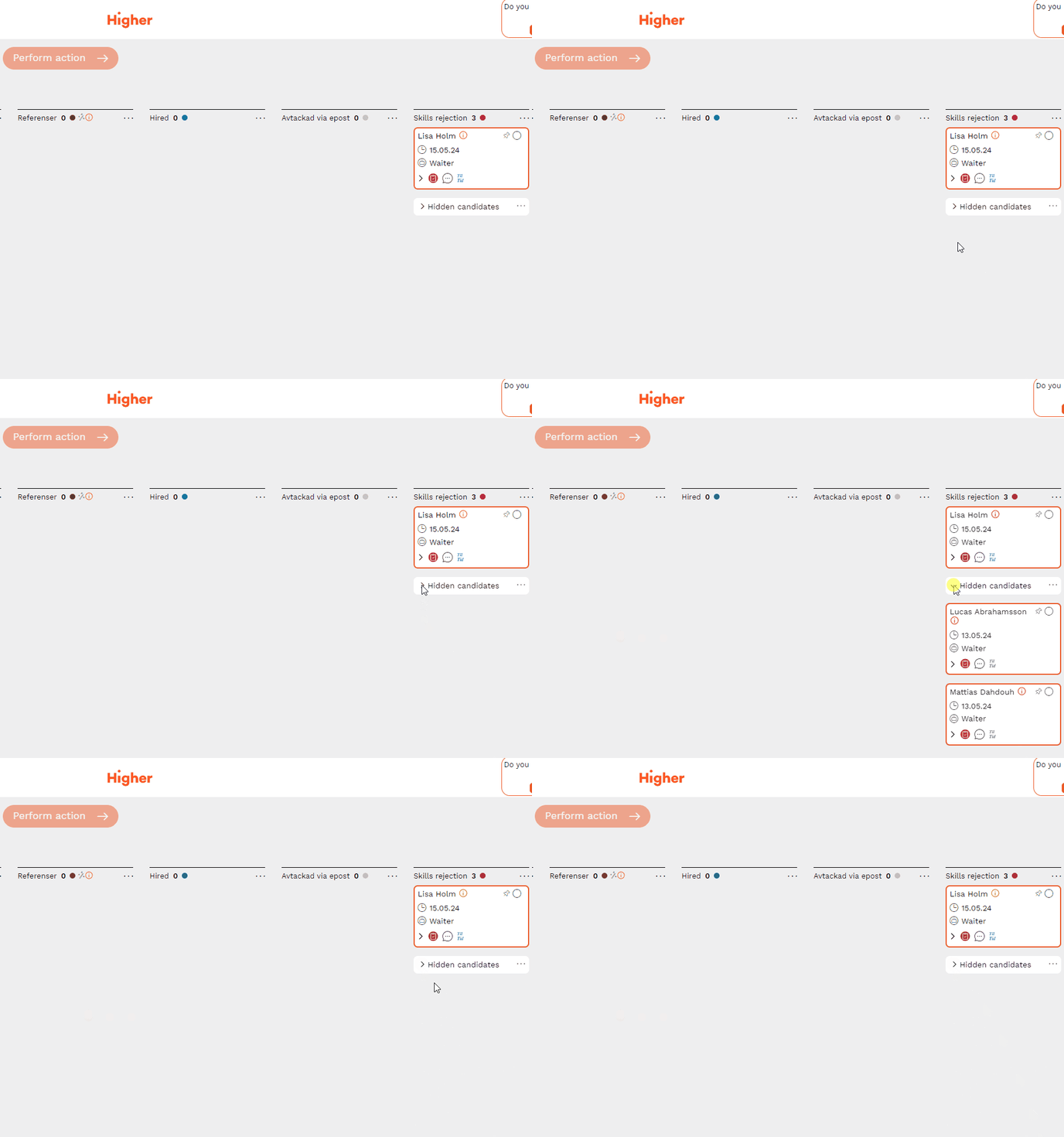
4. You can see which candidates are hidden by opening the group. If you choose to hide more candidate cards from that column, they will be added to the same "Hidden candidates" group.
💡 To view how you unhide hidden candidates, you can click here