![logga.png]](https://forum.higher.nu/hs-fs/hubfs/logga.png?height=40&name=logga.png)
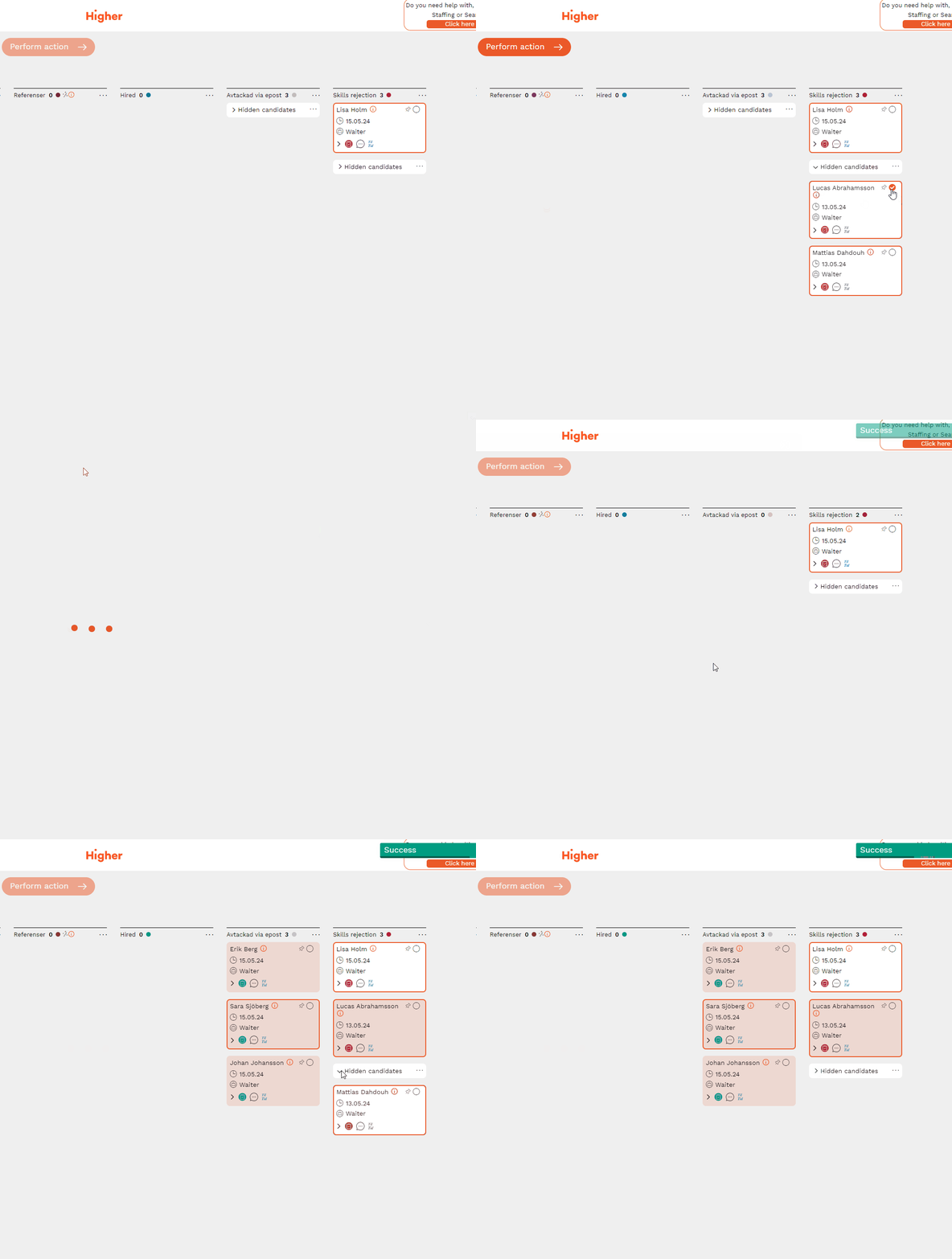
If you find a group of hidden candidates in the recruitment board that you want to view again, you can easily do this with a few clicks.
Select the candidate cards you want to show, press "Perform action" and then "Unhide". If all hidden candidates are selected and displayed, the "Hidden candidates" group will be removed.
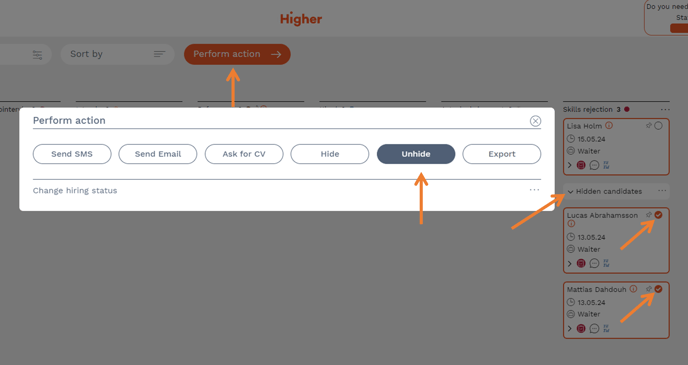
You can choose to show one, several or all candidates in a 'Hidden Candidates' group regardless of the column they are in.