![logga.png]](https://forum.higher.nu/hs-fs/hubfs/logga.png?height=40&name=logga.png)
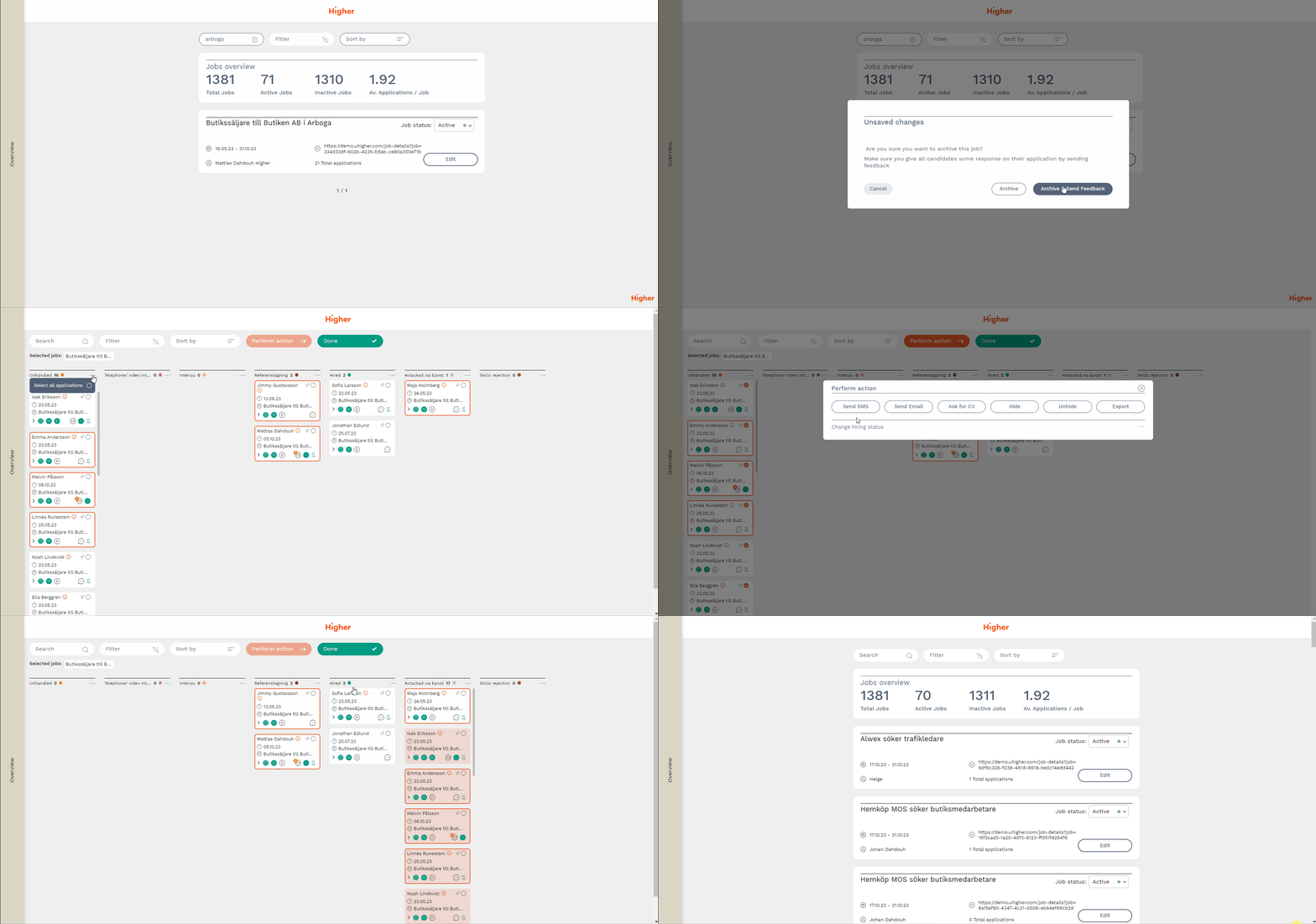
When you choose to archive a job ad, you have the opportunity to provide feedback to candidates before it is archived. This feature guarantees that candidates receive a status update regarding their application.
1. Go to Jobs > Edit jobs
2. Choose a job ad you want to archive and change status to "Archive"
3. You will be asked if you want to "Archive" or "Archive & Send Feedback"
4. Choose "Archive & Send Feedback" and you will be redirected to the recruitment board for the particular job ad where you can change the hiring status on the remaining candidates.
5. When finished, don't forget to press Done.
⚠️ In order for it to work according to the above example, it assumes that there is a trigger configured on the status column "Rejected via Email". A user with HR authorization in Higher can check this under Menu > Settings > HR settings > Status flow.