![logga.png]](https://forum.higher.nu/hs-fs/hubfs/logga.png?height=40&name=logga.png)
Your career page is there to attract new candidates to show their interest and apply for a job with you. It is important to design your career page in a convincing way as it serves as a first impression of your workplace for potential candidates. A well-designed career page can help attract more candidates and increase the number of applications. It is therefore important to focus on creating an informative, engaging and compelling career site that emphasizes your company culture, values and employee benefits.
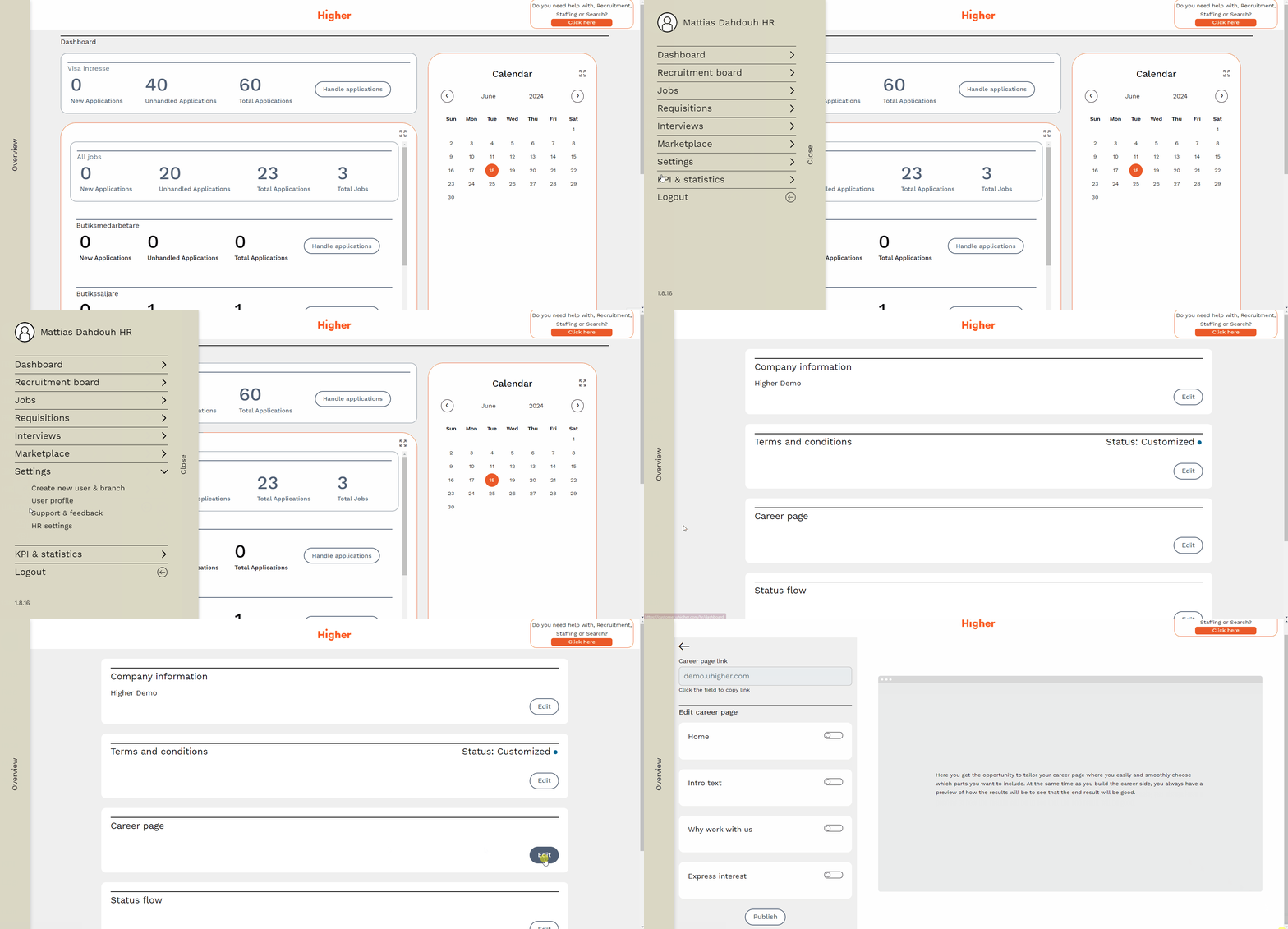
To edit your career page, go to
Overview > Settings > HR settings > Career page > Edit
Publish your career page
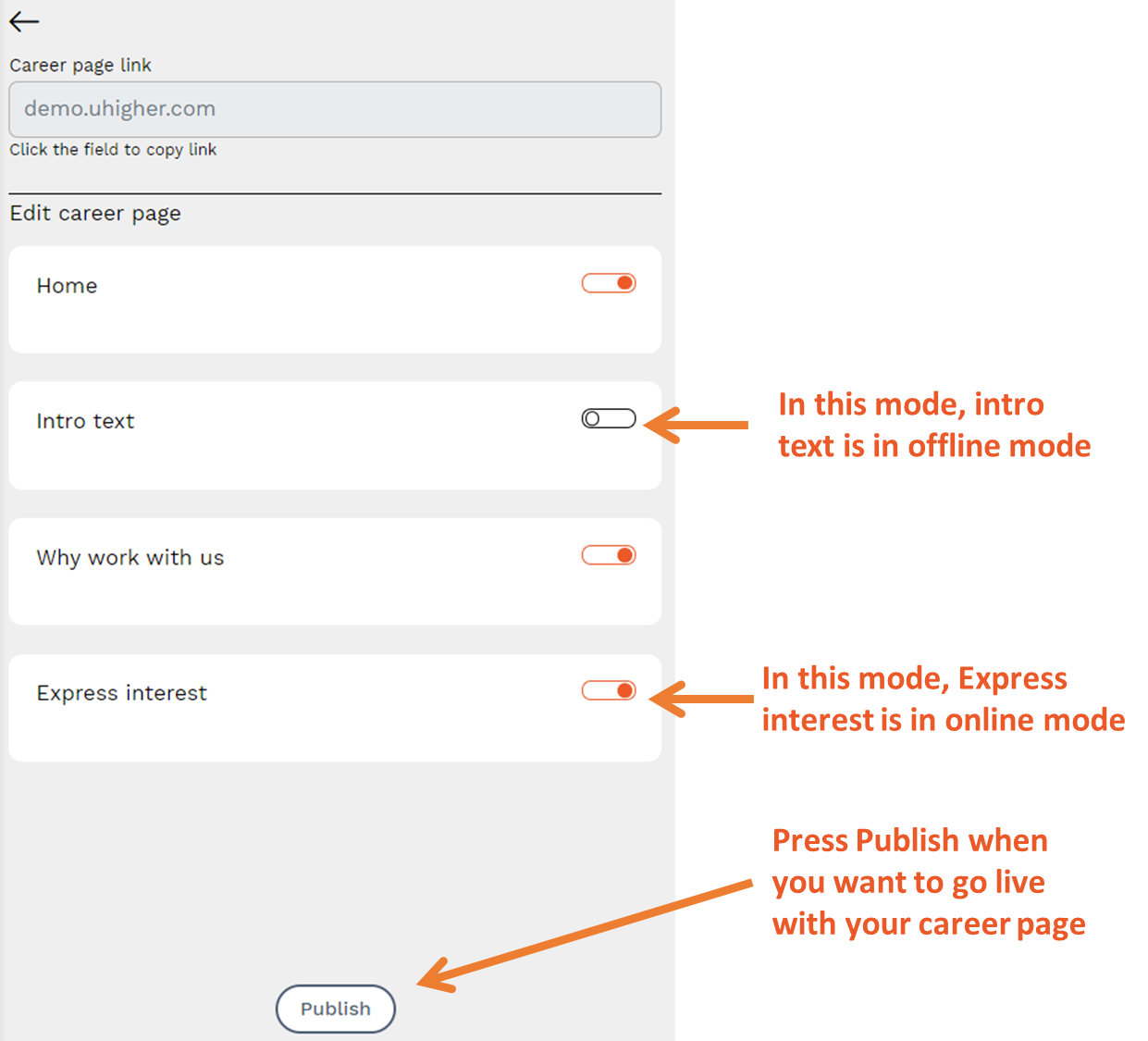
By default, all changes to the career page are made "offline". To decide what should be visible on the career page, activate the orange sliders. Finally, press "Publish" and the page goes live.