![logga.png]](https://forum.higher.nu/hs-fs/hubfs/logga.png?height=40&name=logga.png)
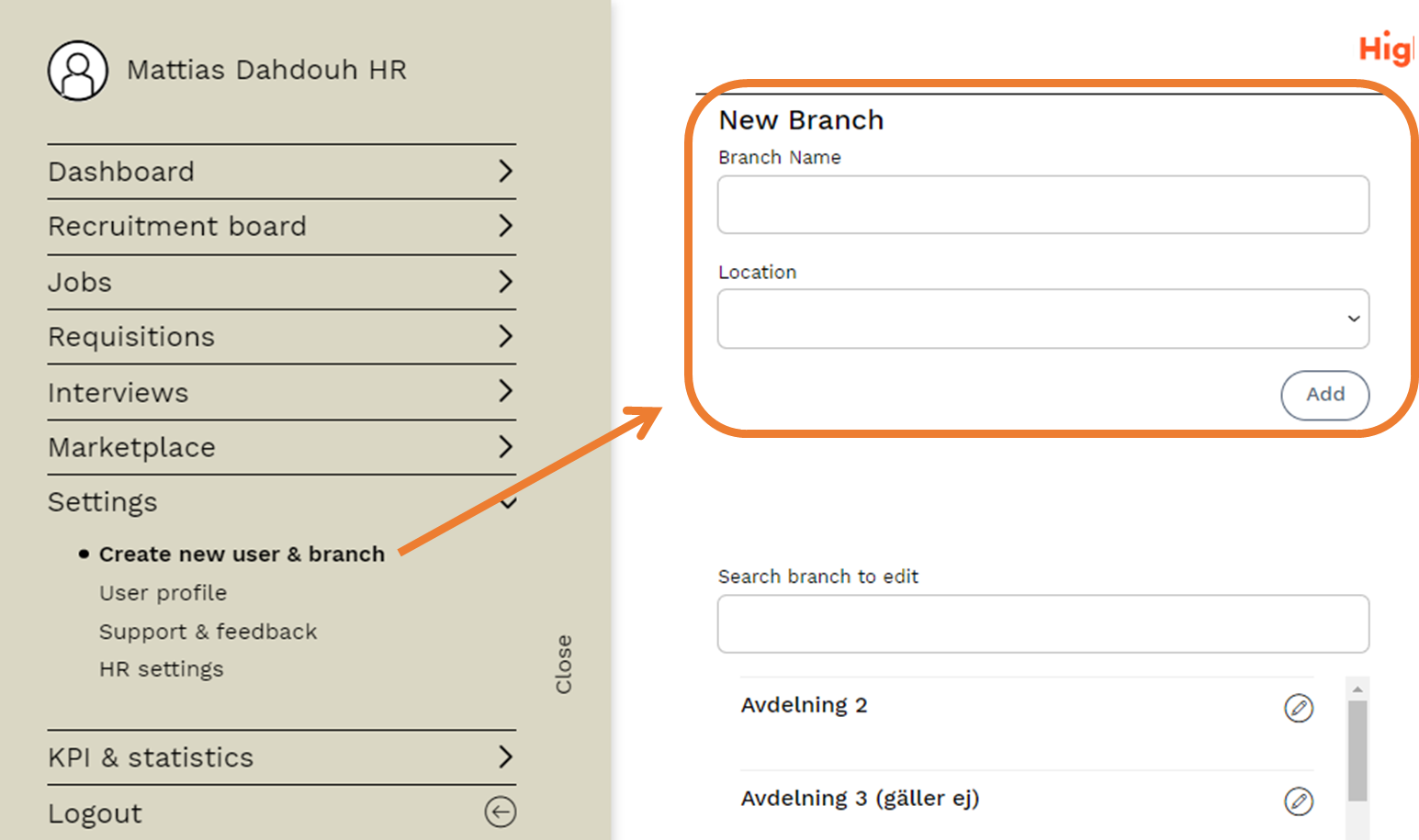
Adding a new branch
In Higher, you can create branches. Branches can be, for example, a department, a cost centre or a location that different users should have access to. A user can have access to one, several or all branches depending on their authorisation. Keep in mind that job adverts posted must also be linked to a branch in order to be published on your career page.
Edit branch
Currently Higher does not allow you to delete a branch. Instead, you can rename them and if it turns out that branches are no longer relevant, it is recommended to give them a "deterrent" name such as "Not used".
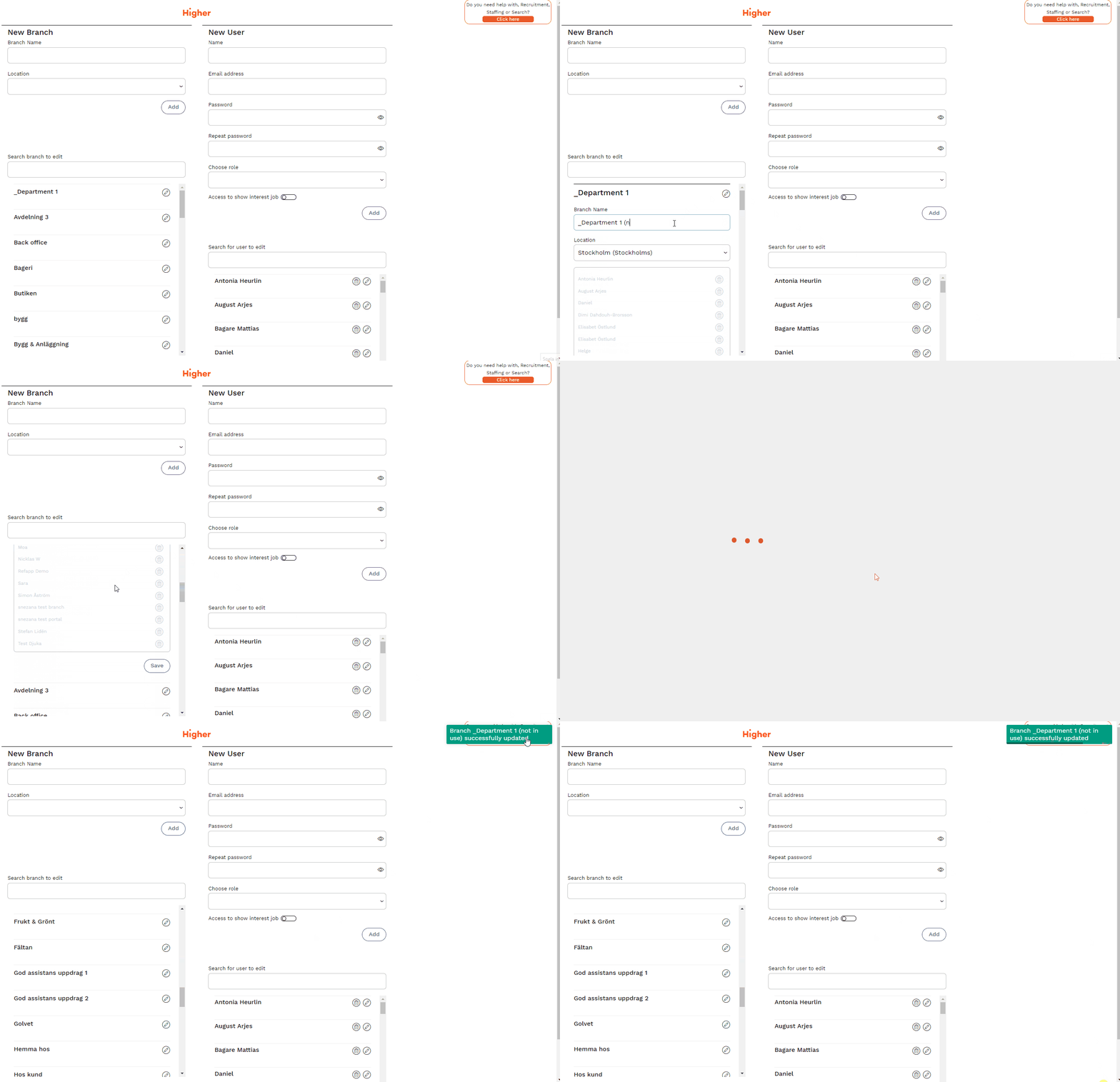
❌ It is not possible to delete branches. If something has gone wrong when creating a new branch, we recommend that you rename it instead.
Changing the branch of a user
To change the branch of a user, you need to edit the user and edit it under "New user".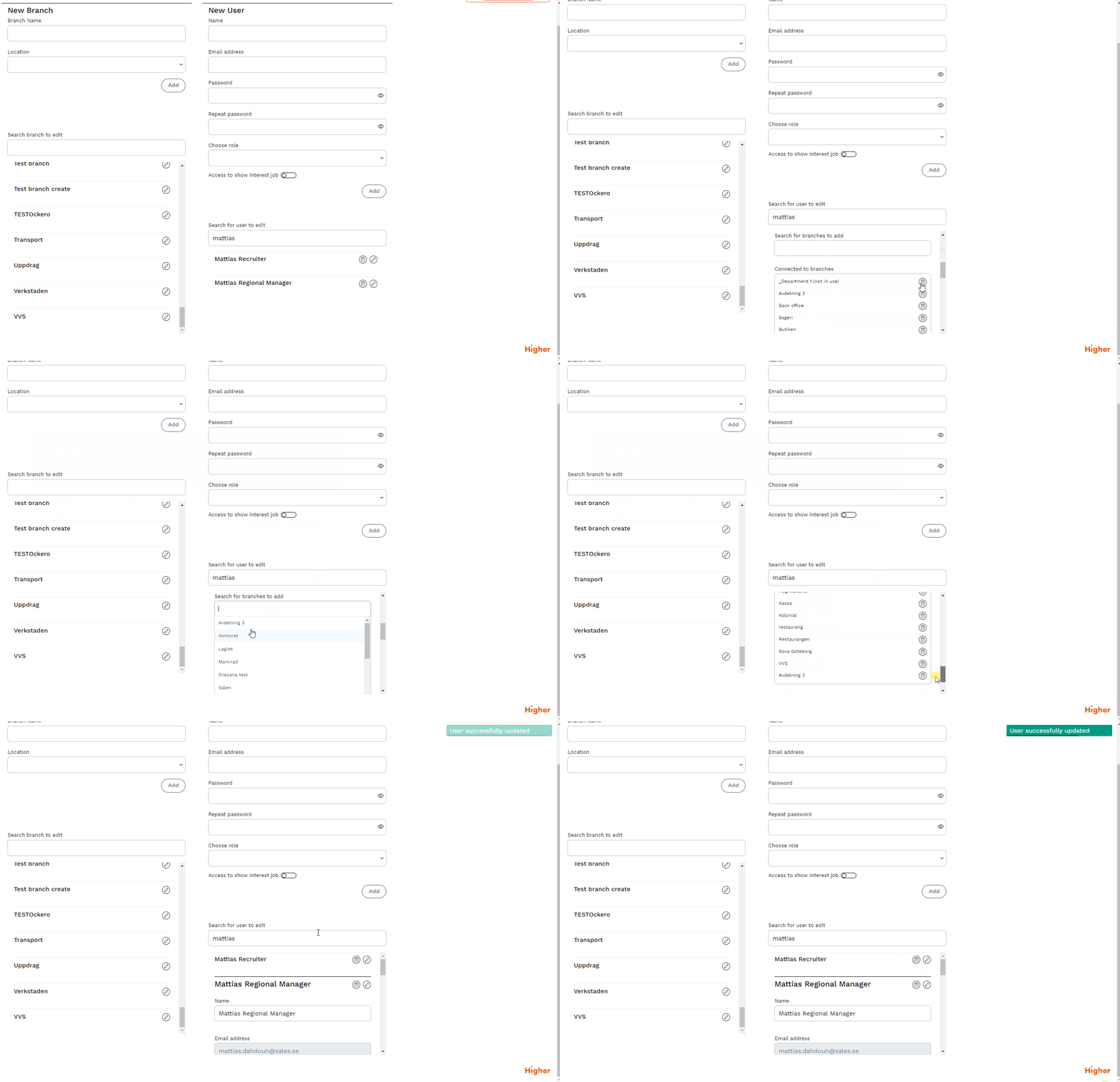
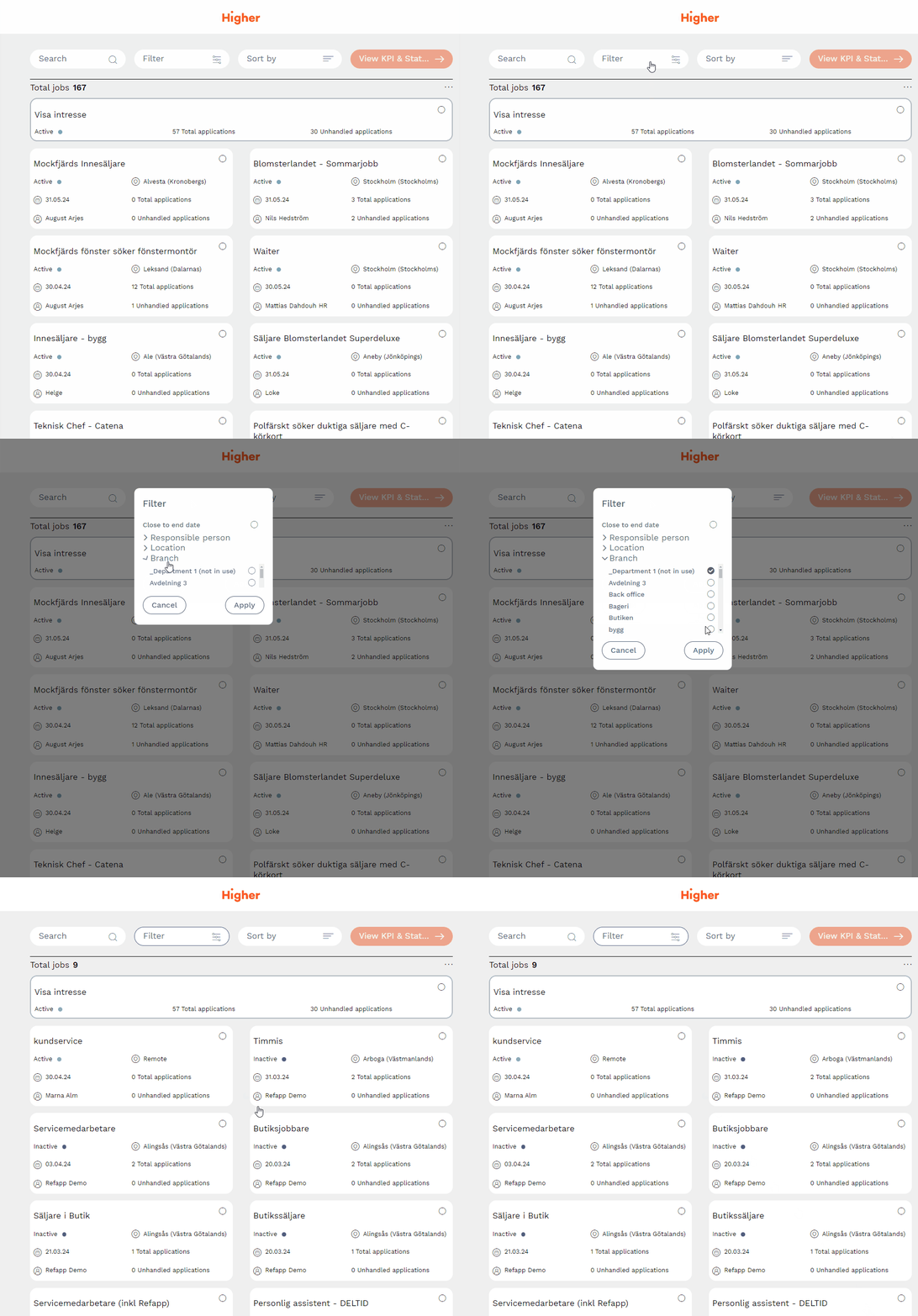
Filter jobs based on branch
In the recruitment board and under KPIs & statistics, you can also filter job adverts based on the branch they are linked to.