![logga.png]](https://forum.higher.nu/hs-fs/hubfs/logga.png?height=40&name=logga.png)
Huma HR
See how to activate the integration between Higher and Huma HR here.
In Huma HR, go to Integrations (if you have the correct permissions, you’ll find it at the bottom of the left-hand menu), locate Higher, and click Set up. After accepting the terms of use in Huma HR, you’ll gain access to:
-
ID
-
Client ID
-
Client Secret
You need to email this information to support@higher.nu so we can help you activate the integration.
Once the integration is active, you can export candidate data to Huma HR in two ways:
-
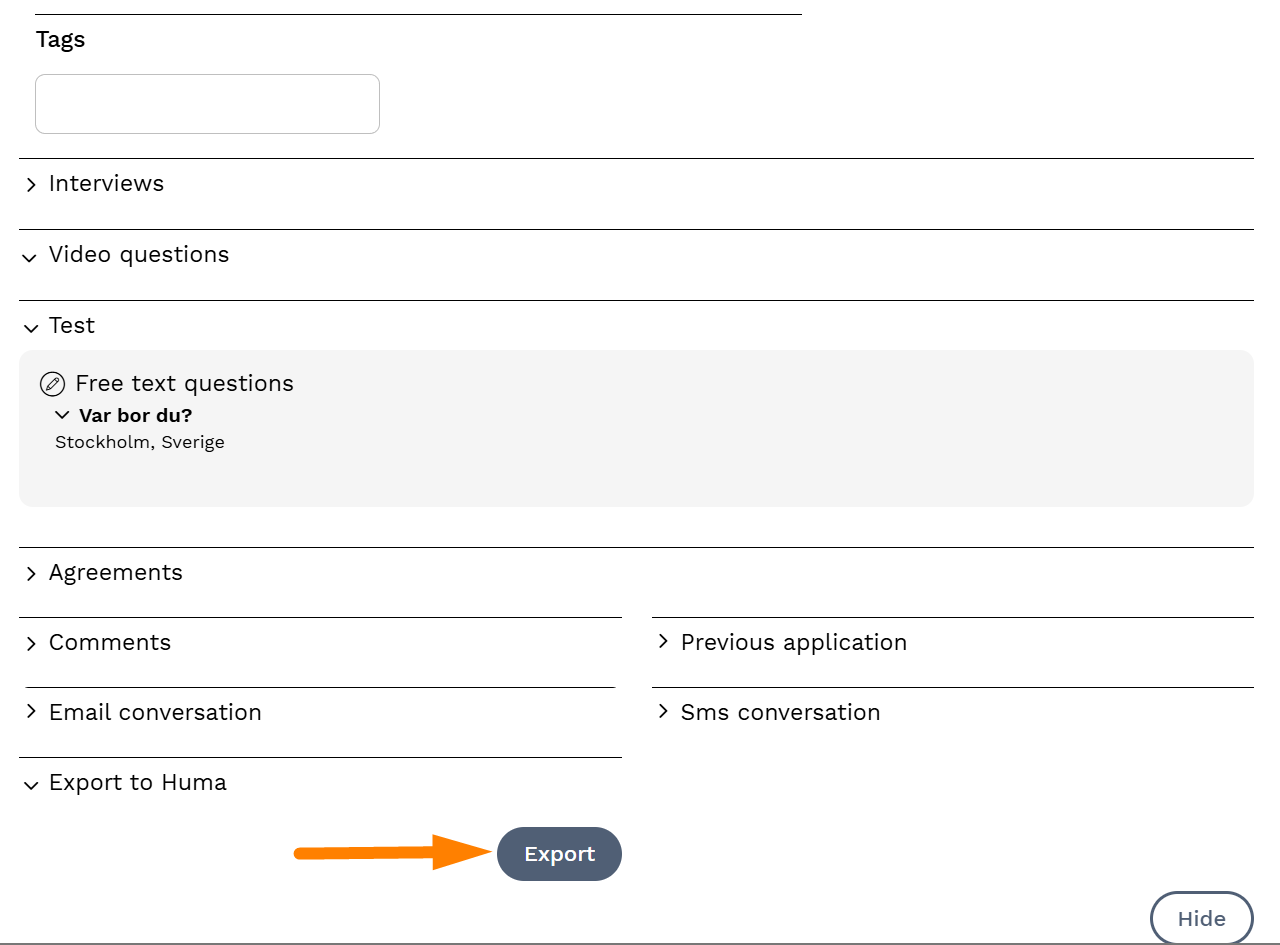
Via the candidate card
-
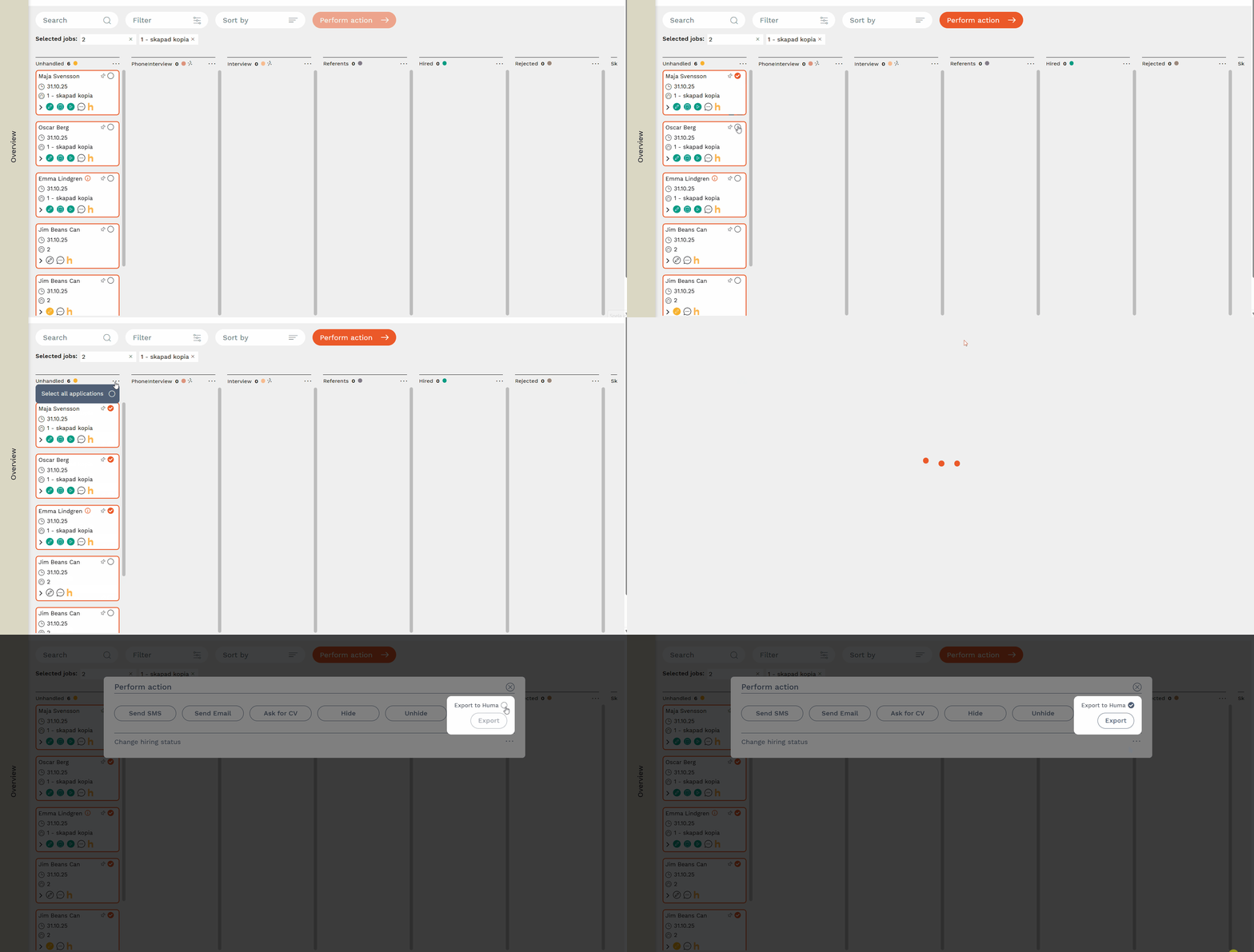
Via Select multiple > Perform action
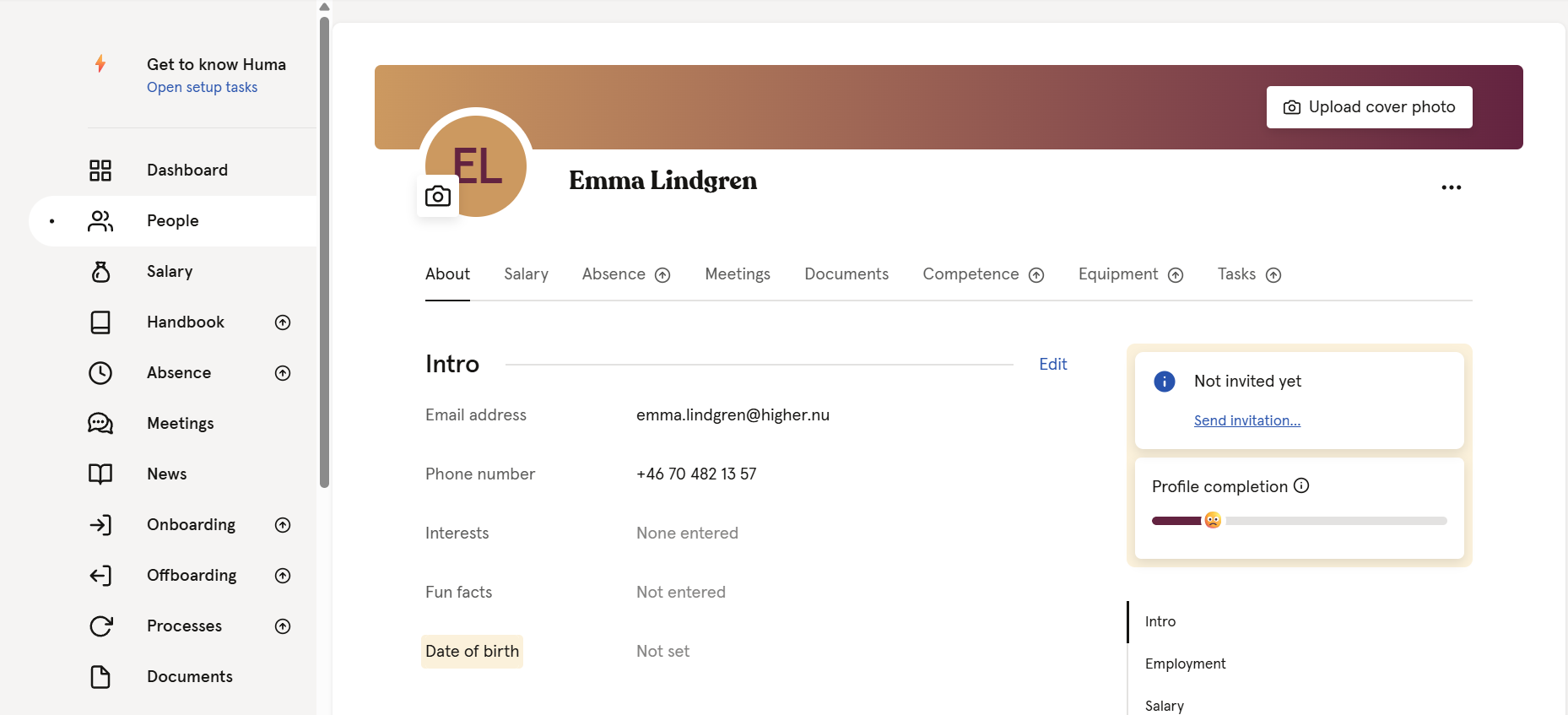
After the export is completed, the candidate will be created in Huma with their name, phone number, and email address. The remaining information can be filled in manually.
Candidates already exported from Higher to Huma are indicated by a yellow H on the candidate card.
