![logga.png]](https://forum.higher.nu/hs-fs/hubfs/logga.png?height=40&name=logga.png)
1. Job template
2. Job information
3. Image and Video
4. Ad description
5. Social media content
6. SMS reminders
7. Introduction message
8. Thank you message
9. Question modules
10. Inhouse question
11. Knockout questions
12. Skills questions
13. Personality test
14. Video questions
15. Save and publish job template
Job templates
Using job templates saves you time when creating job postings for future positions that need to be advertised.
In the template, you set the foundation for how all future ads should appear by creating a good job description, a compelling text for social media, and relevant questions. When you later create a job ad for position X, you can base it on the template and then modify it as needed. By creating thorough job templates from the start, you will save a lot of time in the future when recruiting new colleagues, as you won't have to write new job postings from scratch.
Start by creating a job template under Menu > Job > Create Template

Job information
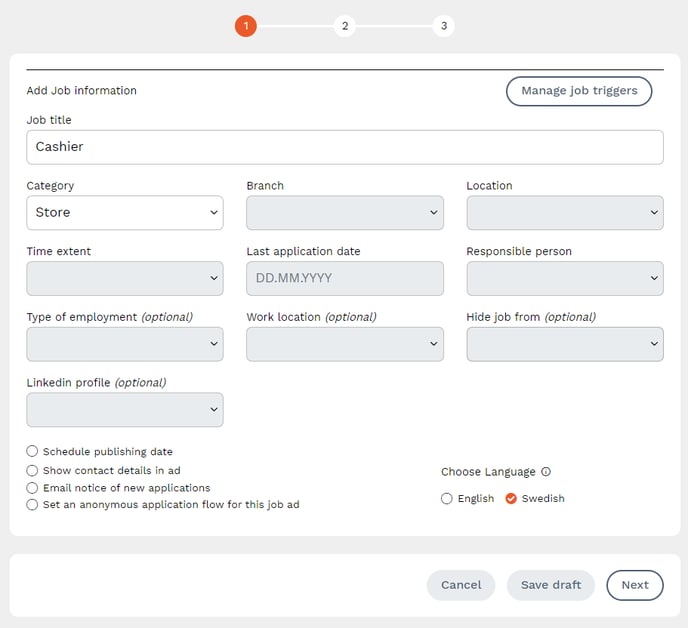
Fill in the job title and select an appropriate category. If you can’t find a suitable category, choose "Other" or the one closest to the job title you're hiring for.
The category is used to organize the questions you will ask the candidate later on.
Choose whether you want to receive email notifications for new applications and whether you want to publish your contact information (name and email address) in the ad.
If you select Swedish as the language, all pre-written text, such as SMS reminders and rejection messages, will be in Swedish. Text you input yourself will not be translated.
When you're done, click "Next".
In this step, you will need to:
- Upload an image or video
- Write a Job Description
- Write a Social Media Text
- Choose whether you want SMS reminders and customize the reminder text
- Write a short Introduction Message
- Write a Thank You for Your Application message
Image and Video
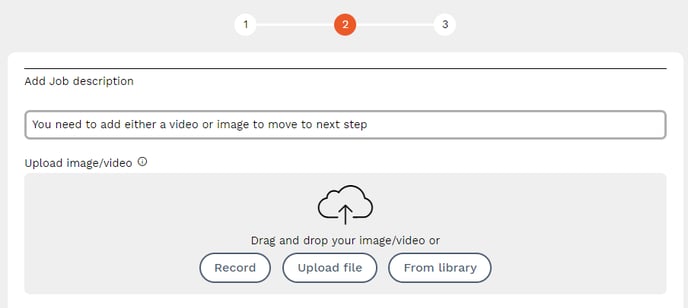
Start by uploading an image or video. You can record directly from your device, upload the file from your device, or select from the library. If you can’t find any media when selecting "From Library," it means you haven’t uploaded anything previously. Any media you upload in Higher will be saved in the media library for you and your colleagues to reuse in the future.
Job Description
In the Job Description, describe the position, including any requirements for the candidate, the skills needed, and a description of the duties.
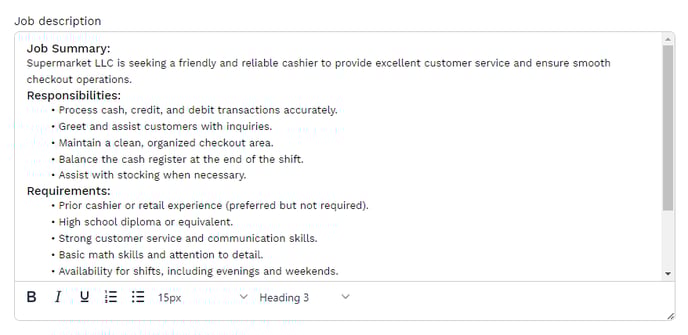
💡 TIP: To make the ad easier to read and navigate for candidates viewing it on their phones, use bullet points.
Social Media content
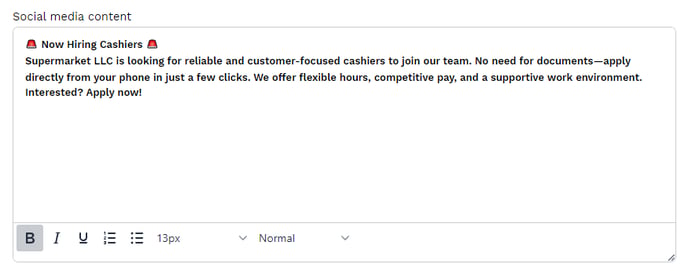
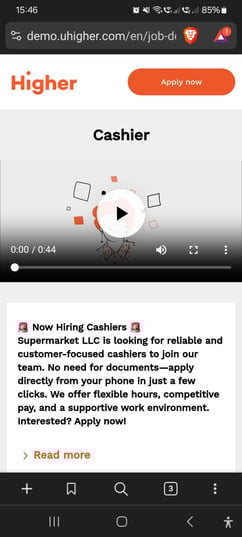
In the social media content box, write a brief summary of the position. Here, you should specify the key requirements to attract qualified candidates from those discovering the job via social media.
SMS Reminders
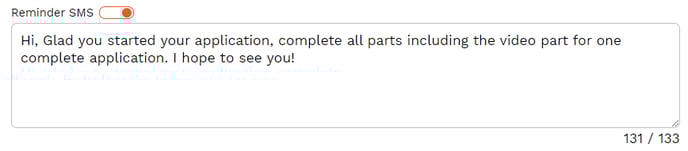
By enabling SMS reminders (orange = enabled), Higher will send system SMS messages reminding candidates to complete their application. You can customize the content of this SMS, with a limit of 133 characters.
The link to the candidate’s application will be included in the SMS, allowing them to easily return to their application and continue where they left off.
These SMS reminders are sent 1 hour after the candidate abandons their application and cost 0.55 SEK each. The sender name will be your company name (up to 11 characters, as per SMS protocol limitations), and the candidate will not be able to reply.
If you don’t want Higher to send SMS reminders to candidates (not recommended), click the orange symbol to disable the feature.
Intro message
This message explains and previews the modules included in the application process. You can edit and customize this text according to how you want the application to be presented to the candidate.

Thank You for Your Application Message
The candidate will receive a confirmation once they submit their application. You can customize the content of this message here.
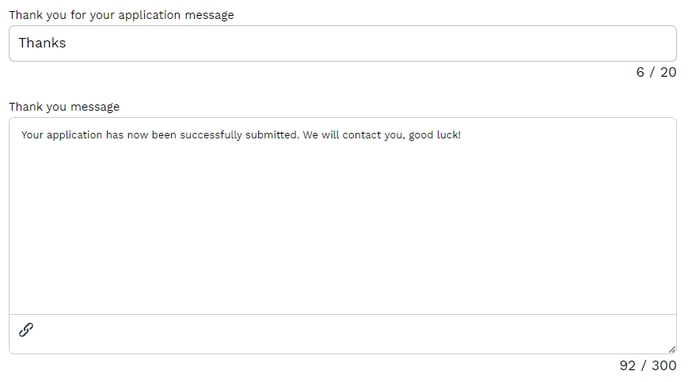
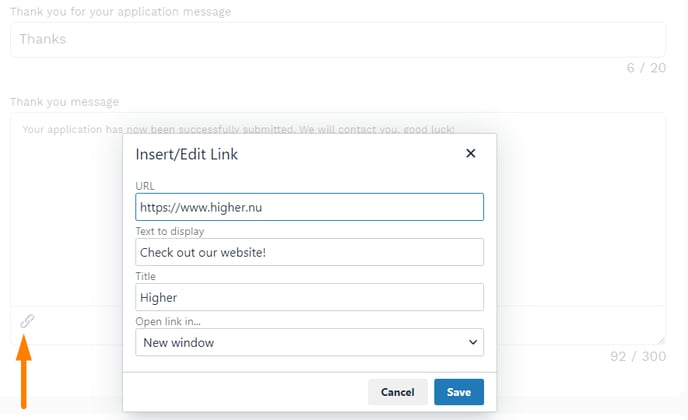
💡 By clicking the hyperlink symbol, you can insert links into your thank you message.
Question Modules
Once you’ve completed the job description, you’ll move on to the next step where you select the modules to include in your job template. The modules we offer are as follows:
- Internal Questions
- Knockout Questions
- Skills Questions
- Personality Test
- Video Questions
You can easily select the modules to include in your job template or ad via the menu on the right side. By dragging and dropping the icons, you can change the order in which the candidate will encounter the different modules. By default, the modules will appear in the order listed above.
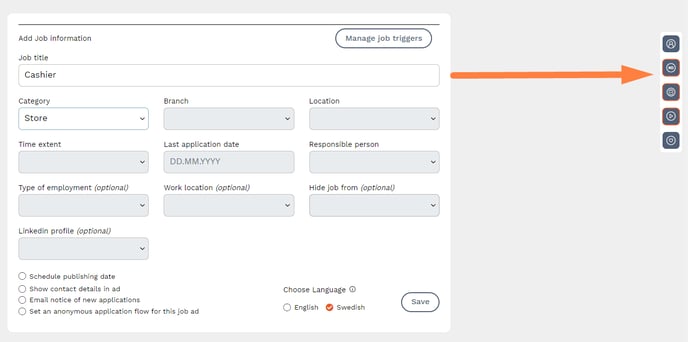
❗ This article describes the individual modules more broadly. For detailed information about each module, refer to the relevant articles.
 Inhouse question
We’ve created a feature for tracking internal applications. These applications will be marked with an orange frame in the recruitment board. You can allow the candidate to proceed even if they answer knockout questions incorrectly. This gives you the chance to decide whether to move forward with the candidate or send a more personalized rejection email.
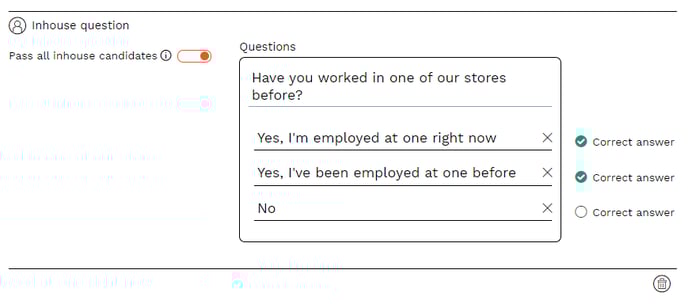
💡 If you want to track candidates with previous experience working in your organization, group, or chain, you can formulate the question accordingly. This way, you can map candidates already employed by you who want to switch roles, those working in the same company but at a different location, or those seeking to rejoin from another employer.
 Knockout Questions
Knockout questions are questions that the candidate MUST answer correctly to proceed. These questions should reflect the basic requirements for the position, such as certificates or licenses needed to perform the job. Typically, these questions are closed-ended, with "Yes" or "No" answers.
If a candidate answers a knockout question correctly, they proceed in the application process. If they answer incorrectly, the system will automatically reject them. It’s important to ask clear and relevant questions that candidates can easily understand.
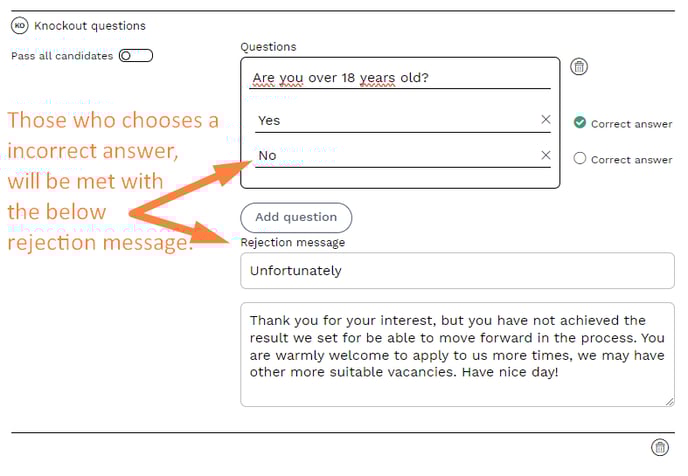
The candidate will begin filling out their application and registering their contact information only after passing this stage. You can track the number of candidates who failed knockout questions in your KPIs.
Examples of knockout questions:
- Are you over 18 years old? (If the position requires it)
- Do you have a driver’s license? (If the position requires it)
- Are you certified in XX? (If the position requires it)
 Skills Questions
Depending on whether you are using a psychological test in the application process, the number of questions you use may vary. To verify the candidate’s competence according to the job profile, you should ask 10-15 questions. If you prefer to create your own questions instead of using the psychological test, you can ask up to 30 questions. The number of questions can vary depending on the position.
Create the job profile or ad and note the requirements, desirable qualifications, and preferred skills/traits. Think about what you would look for in a CV and what type of profile your team needs for this recruitment. Then, form questions based on these scenarios. If you are using a personality test, 10-15 skills/CV-related questions are usually sufficient.
Competency and Experience Questions
Ensure you map out the required competence based on the job ad or job profile that serves as the basis for the recruitment. Ask questions about experience, skills, education, industry knowledge, and specific systems.
Examples:
- What is your level of education?
- How many years of experience do you have in/with XX?
Situational Questions
Ask questions about typical situations that may arise in the job, such as prioritization or conflict resolution skills.
Examples:
- How do you act when XX occurs?
- The candidate faces a scenario: In what order do you prioritize/act?
Attitude/Motivation Questions
These questions ensure that the candidate is likely to stay long-term in the role. They give insight into how motivated and engaged the candidate is in the position they are applying for.
Examples:
- What is most important to you in a workplace?
- How would you like your immediate supervisor to be?
- What motivates you in your role as XX?
Fact-based Questions
These are used to ensure the candidate matches the needs of the position. Typical questions might relate to the candidate’s availability.
Examples:
- What is your notice period?
- Can you work evenings and weekends?
 Personality Test
The test used by Higher comes from Psykometrika AB and measures the following success factors.
- Work Motivation: How engaged the person is in their work and their desire to perform.
- Self-confidence - to trust their ability and dare to take initiative
Be sure to select the language for the test when including this module in the application.

 Video Questions
You can ask up to 3 questions for the candidate to answer in video format. The candidate will see the question in writing and can respond with a video of up to 30 seconds. Keep in mind not to ask overly complex questions. The candidate has the option to hide their face and re-record their answer if they are not satisfied.
Video questions are meant to give you a first impression of the candidate. You can think of this module as a counterpart to a cover letter—not everyone sends one, but for those who do, you get a better sense of who they are.
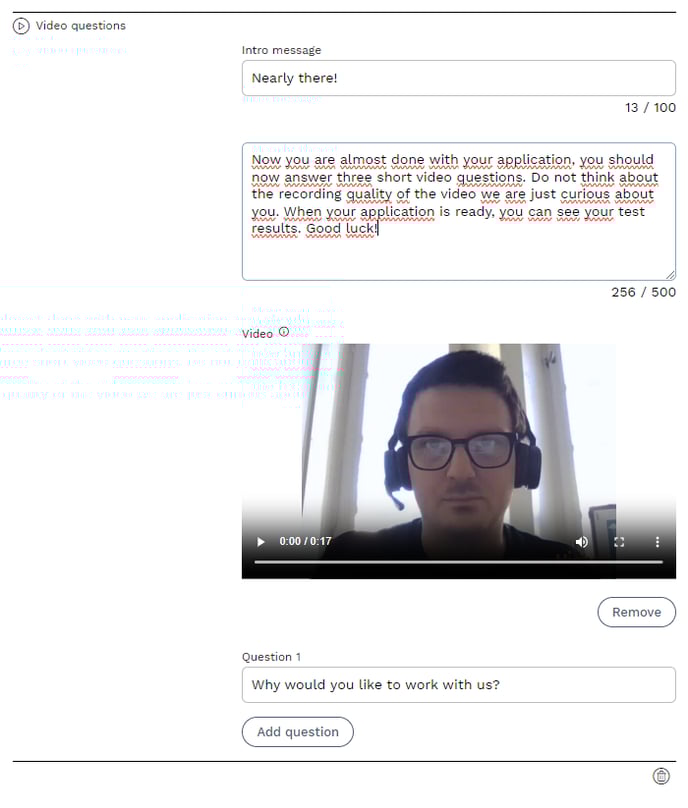
By informing candidates in the ad that the application process includes video and that the recruiter has recorded a video greeting, you can increase the number of video submissions. We recommend asking simple, impersonal questions related to the position.
Examples of video questions:
- What do you like to do in your free time?
- What caught your interest in this position?
- How would your previous employer describe you?
The idea with video questions is not to replace interview questions. They should be simple to answer, and the candidate should not feel pressured to perform.
Save and Publish Your Job Template
Once you are satisfied with your selection of modules, questions, and video recordings, it’s time to save and publish your job template. Move forward in the process by clicking the "next" button at the bottom right.
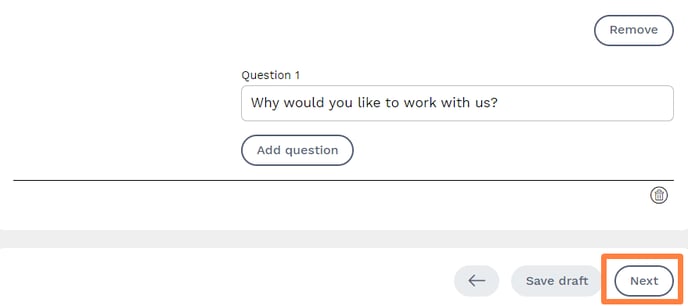
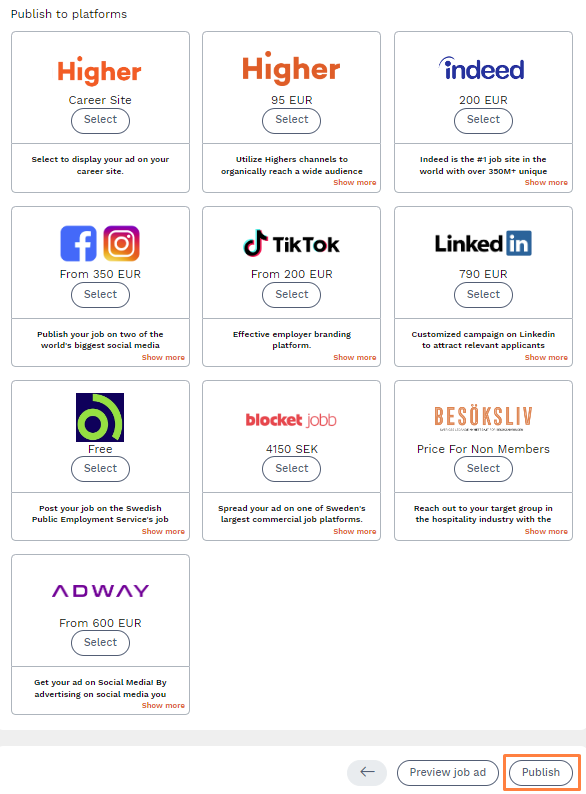
In this view, you can see the platforms Higher offers for publishing your ads. Since this is a job template, not a job ad, you don’t need to select any platforms here. All you need to do is click "Publish" at the bottom right to save your new job template.