![logga.png]](https://forum.higher.nu/hs-fs/hubfs/logga.png?height=40&name=logga.png)
With the help of scheduling the publication of job advertisements, you can plan your recruitment. Maybe you know in advance that you need to go out with an ad on a specific date, then scheduling is a good feature to use.
Schedule publishing
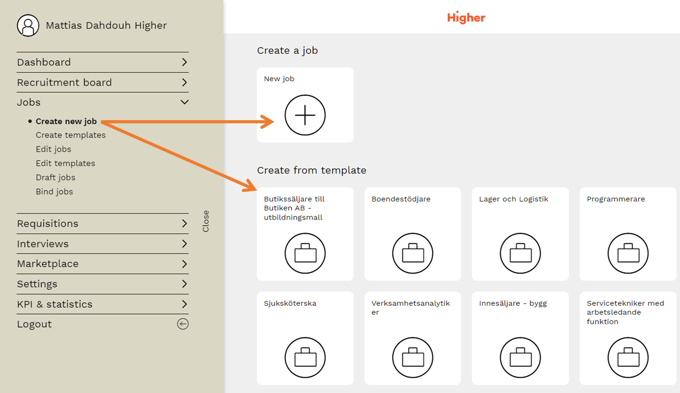
1. Create a new job ad under Menu > Jobs > Create new job either from a template or brand new job ad.
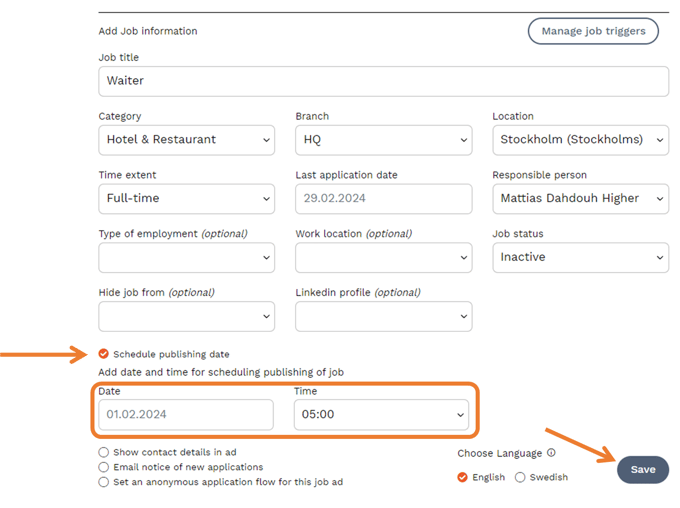
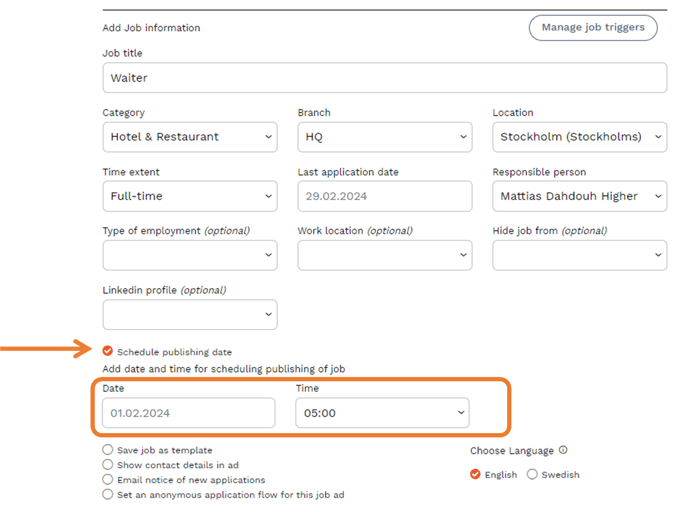
2. Check the box for "Schedule publishing date", choose the date and time you want it to be published. Then proceed with creating your ad as usual.
3. Once you have published your ad, it will be in an "Inactive" status until it is scheduled to appear publicly.
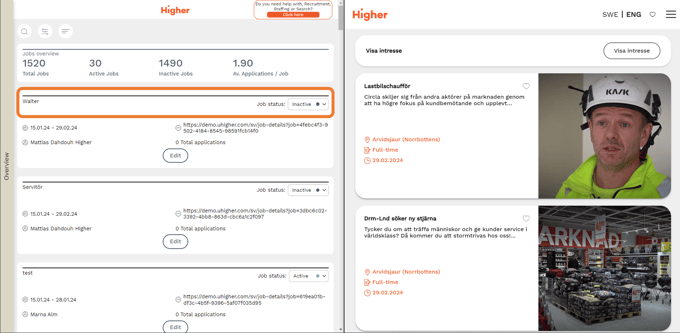
⚠️ The job advertisement has the status "Inactive" and is not visible on the careers page until it has been published according to the schedule.
Delete or edit a schedule
1. To delete or edit a schedule, you need to go to Menu > Jobs > Edit jobs.
Then press Edit
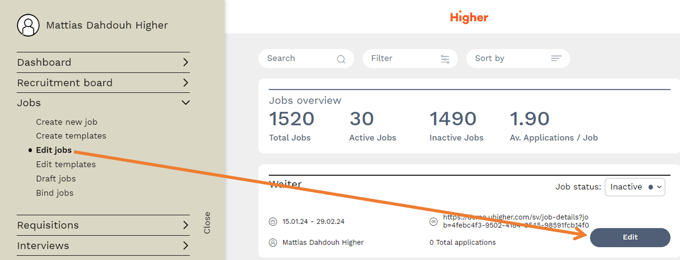
2. Now you can choose to either change the publication date, time or remove it completely by unchecking the option. Don't forget to hit Save when you've made your changes.