![logga.png]](https://forum.higher.nu/hs-fs/hubfs/logga.png?height=40&name=logga.png)
Trigger - Send Email
Email triggers allow you to streamline and mass communicate with your candidates. For example, you can use a trigger to send an email to the candidates you do not want to proceed with in the recruitment process.
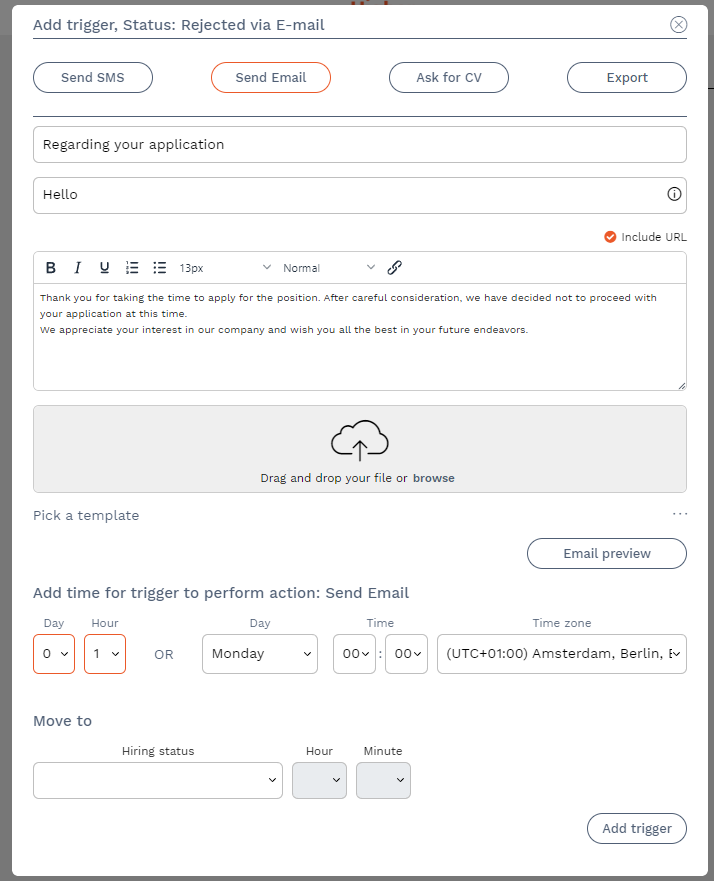
Subject line - Add the subject line that should appear in the candidate's inbox.
Greeting - If you add a greeting, Higher will include the greeting and name from the candidate card before the email content, making the message more personal. In the example below, the email starts with "Hi First Name + Last Name,".
Include URL - if you check "include URL", candidates will have their unique application links attached to the message.
Content - here you write your message to the candidate. You can choose to attach files if you wish.
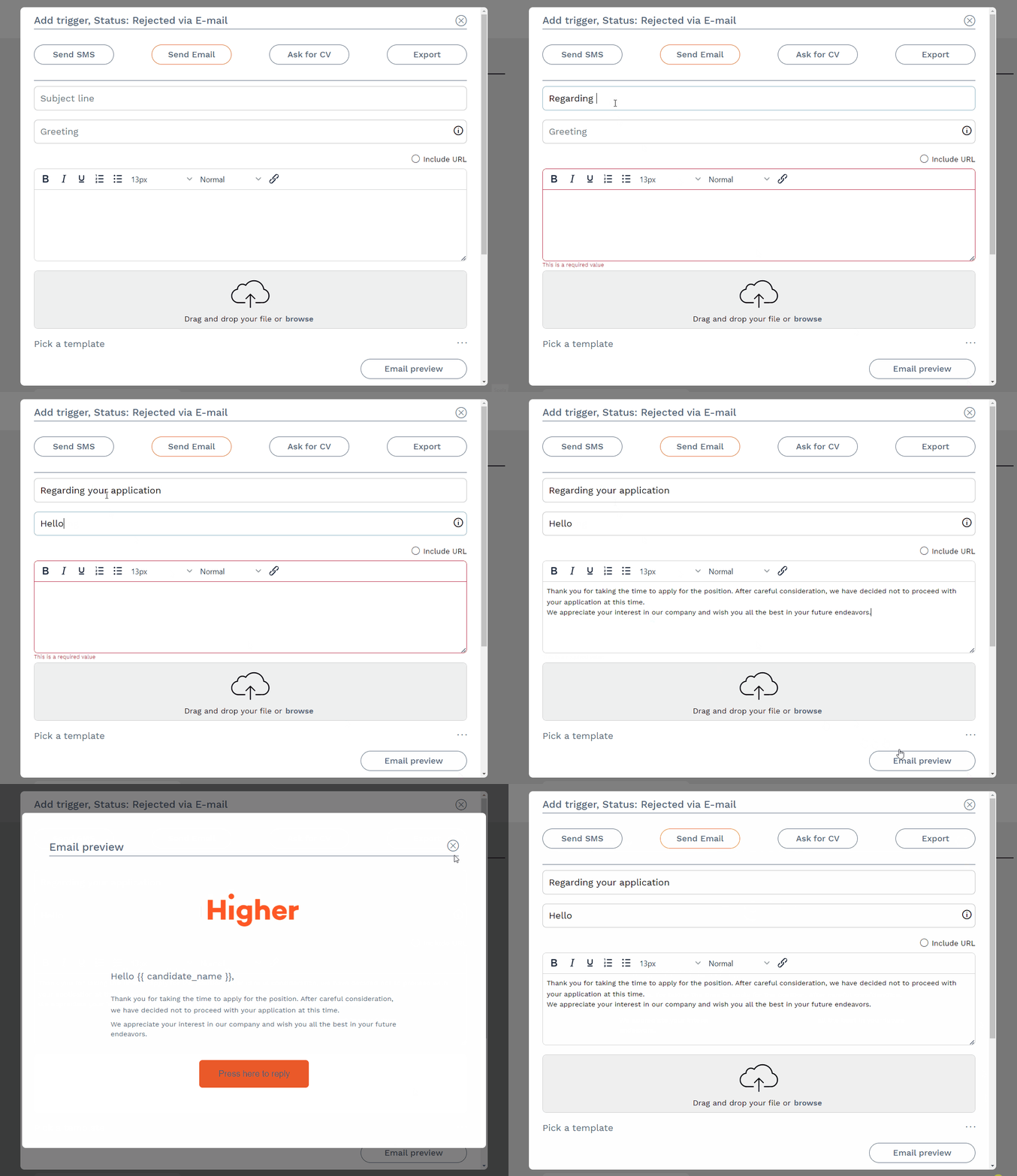
If there are any saved Email Templates, you can use these here by pressing "Select a template". The content loaded from the template is 100% customizable which means you can change it according to your preferences.
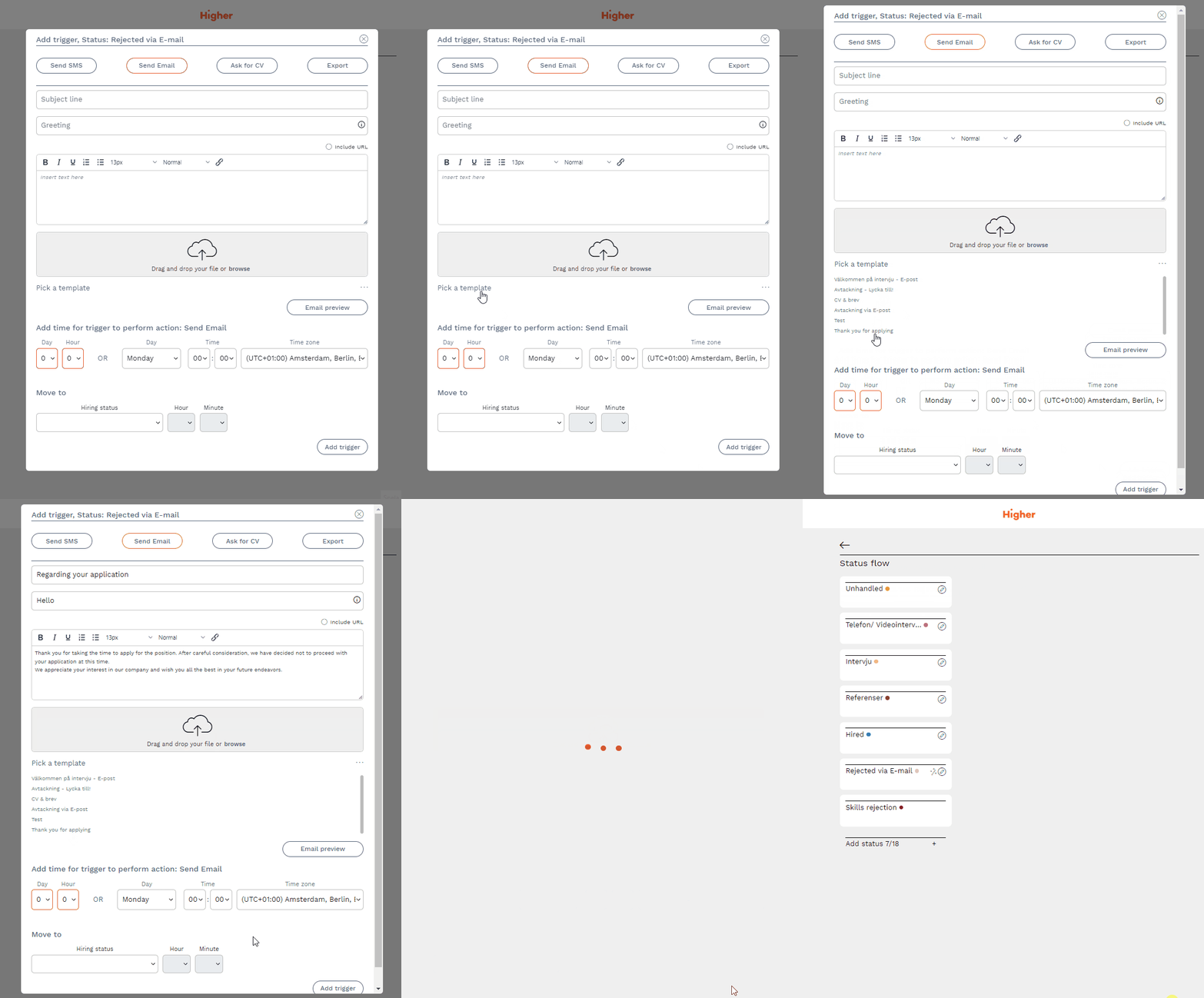
⚠️ If you update templates used in triggers, you must also update these triggers for the changes to take effect. To do this, select the template again in the trigger, press "edit trigger" and finally press Save.