![logga.png]](https://forum.higher.nu/hs-fs/hubfs/logga.png?height=40&name=logga.png)
By using job triggers, you can exclude job ads from the regular handling of triggers. This is useful when, for example, you want to customize the communication for a specific position or automatically request additional information from candidates.
1. Navigate to Menu > Jobs > Edit ad/create new ad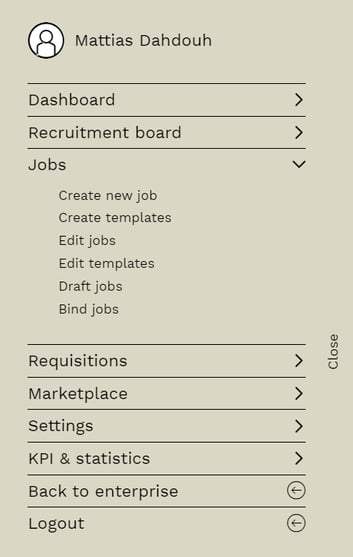
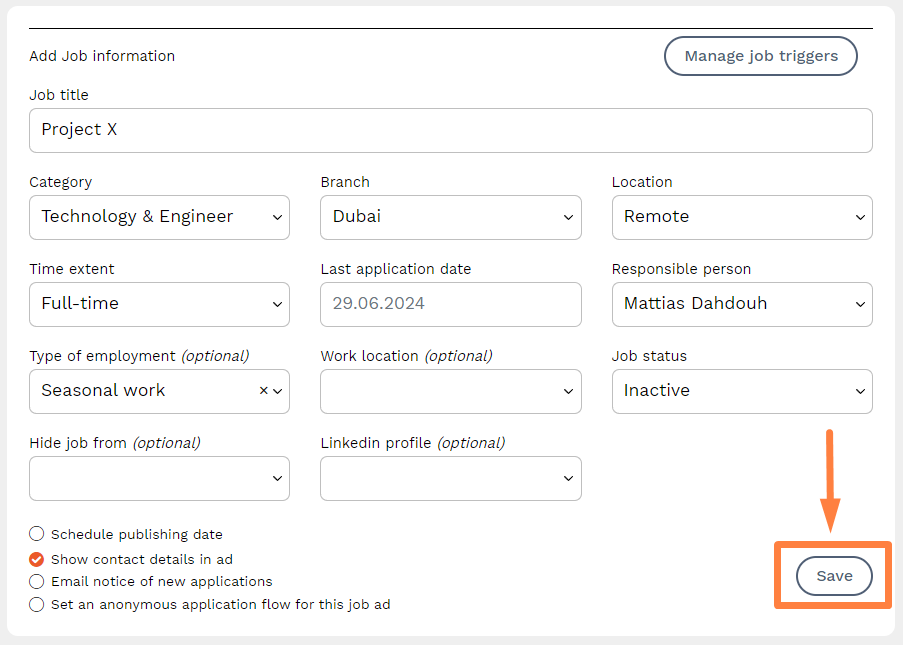
2. Press Manage job trigger. You can access the setting when creating or editing a job ad.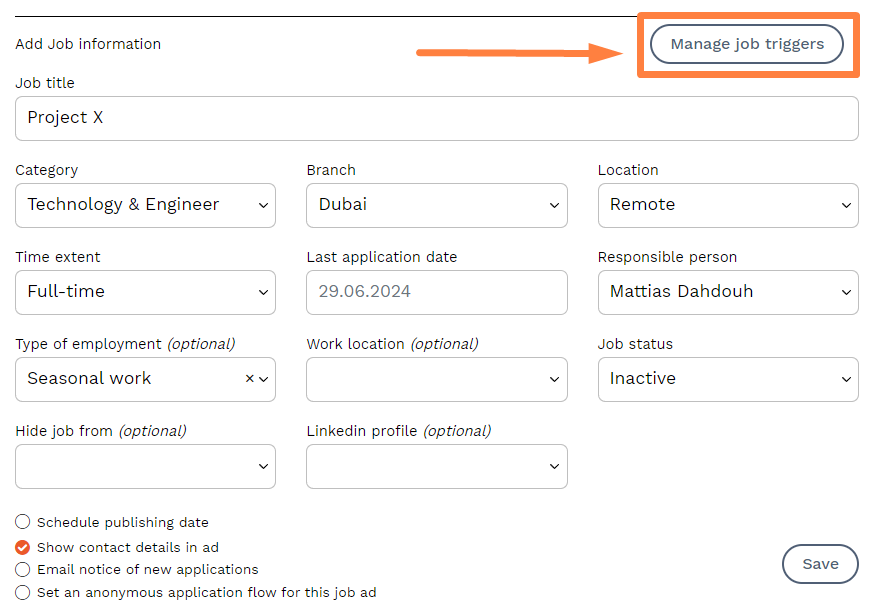
3. In this menu, you can choose to exclude the job from the company-level trigger. Pressing the option in this example will exclude the job from sending an invitation to the candidate when placed in the "Phone/Video Interview" column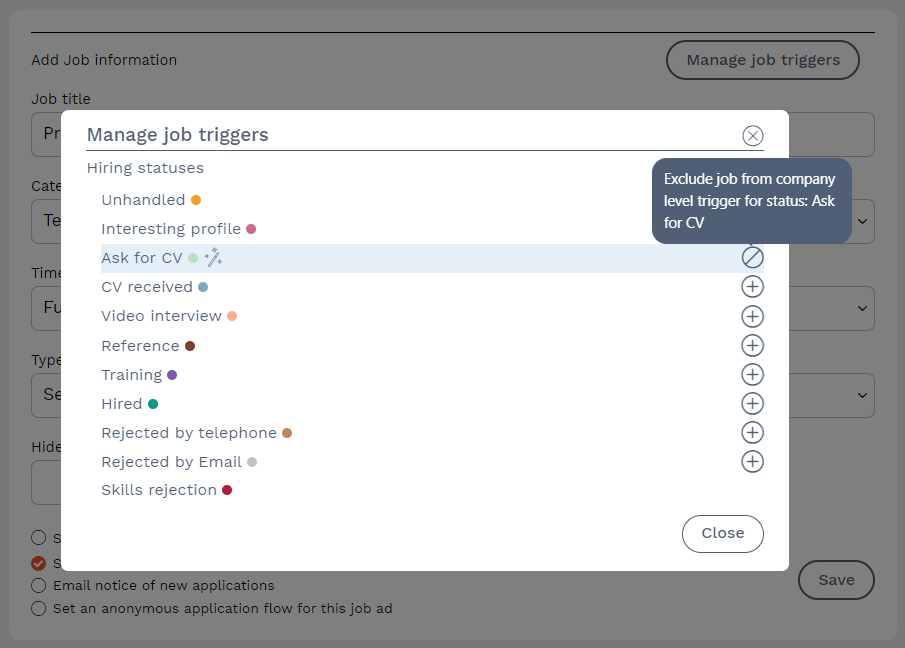
You can also create triggers that only apply to the current ad by pressing the "+" symbol.
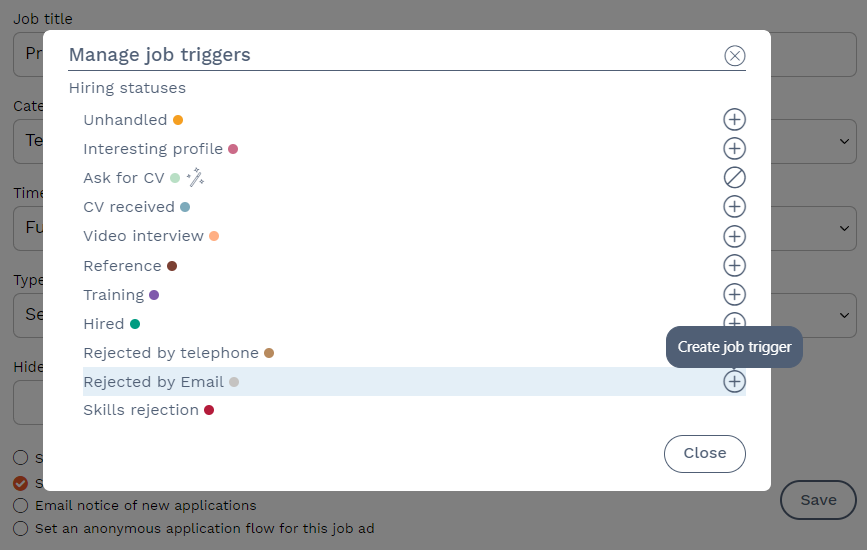
The procedure is the same as when creating triggers under
Menu > Settings > HR settings > Status flow
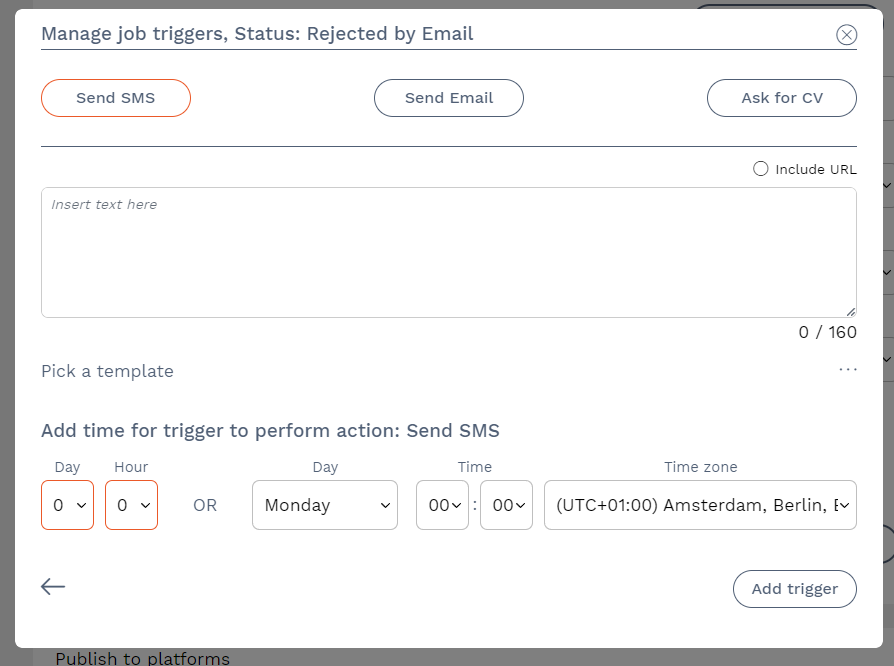
Once the job trigger is set, it will look like the following image. In this example, a unique thank you email will only be sent to those candidates who applied for this specific job. There is an option to edit or remove the trigger. When you are done, press Close. 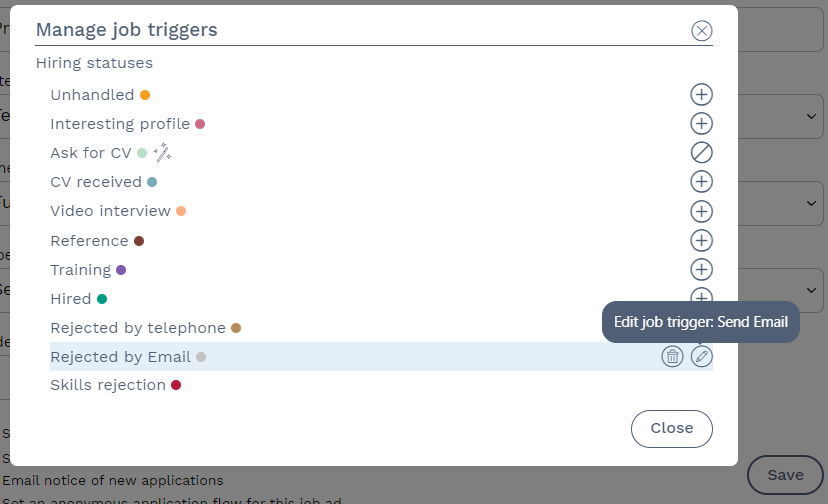
4. Don't forget to save your changes when you are done.
5. In the recruitment board, you can see which jobs are subject to the company-level trigger or are a job trigger. In this example, several jobs are visible in the recruitment board, including one job that has a job trigger.
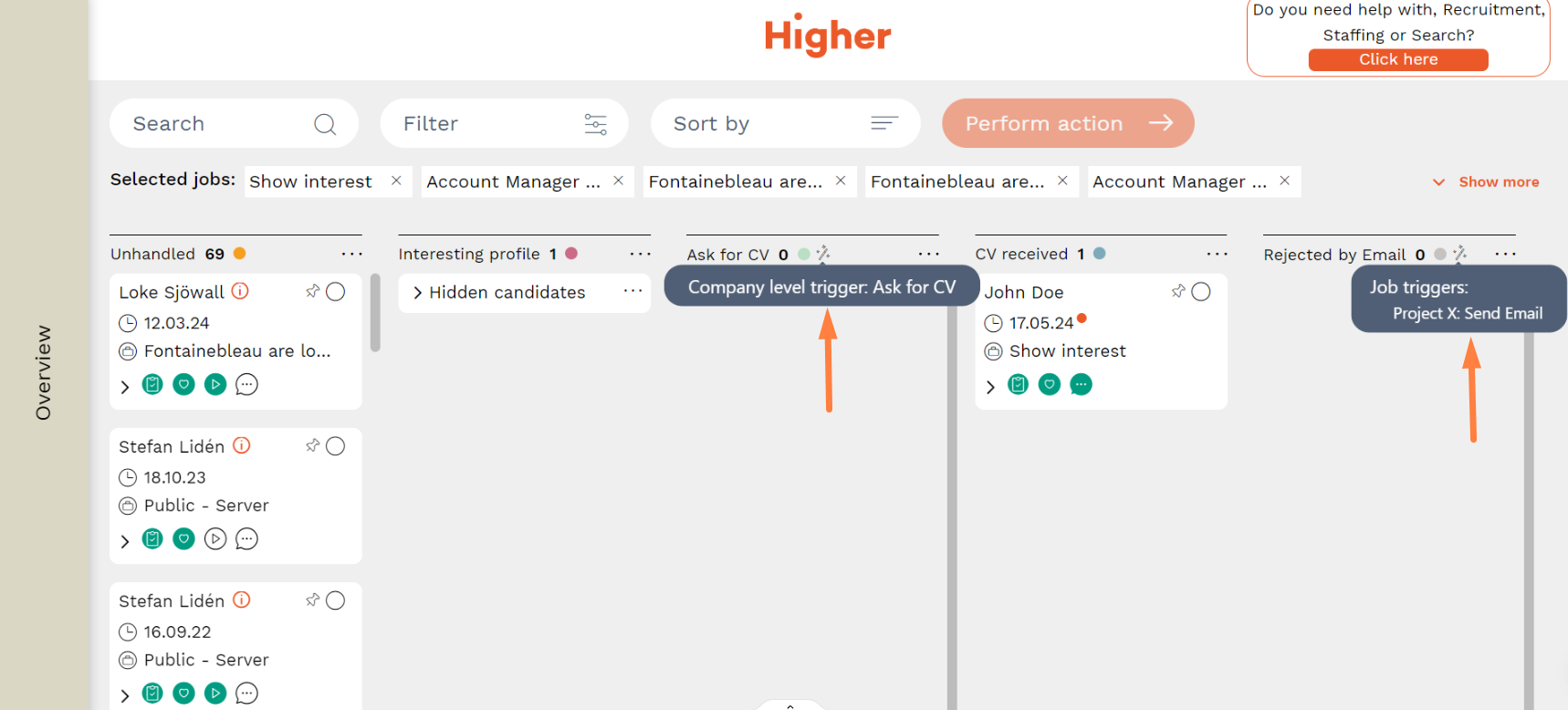
The "Project X" job has a unique job trigger that sends out a Rejection email to the candidates, unlike the other jobs I have included in the recruitment board.