- Higher | Help Center
- Triggers
- Triggers - Overview
Triggers - Overview
Triggers allow you to automate mailings and your workflow in Higher
Create a trigger
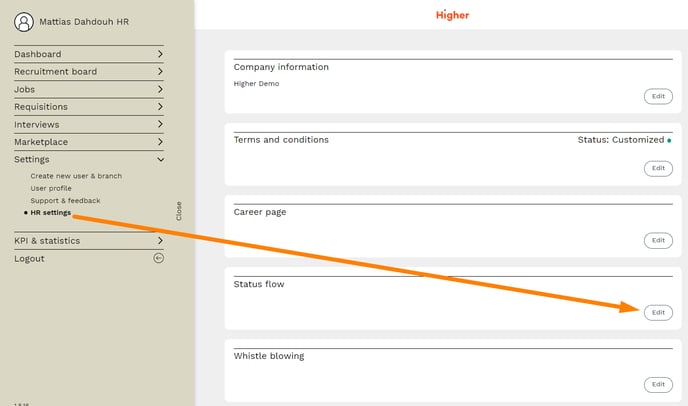
To create a trigger, you need to navigate to
Overview > Settings > HR Settings > Status Flow
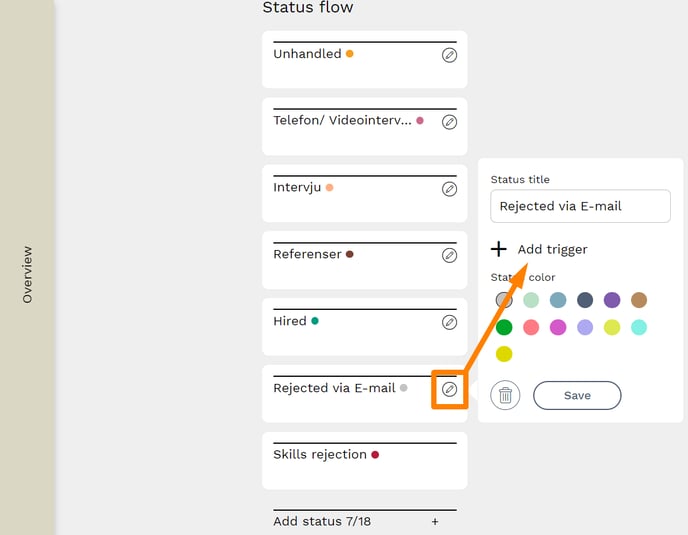
The next step will present you with a list of all the status columns you have in your Recruitment Board. Press the edit button for the column you want to create the trigger for and select "Add trigger".
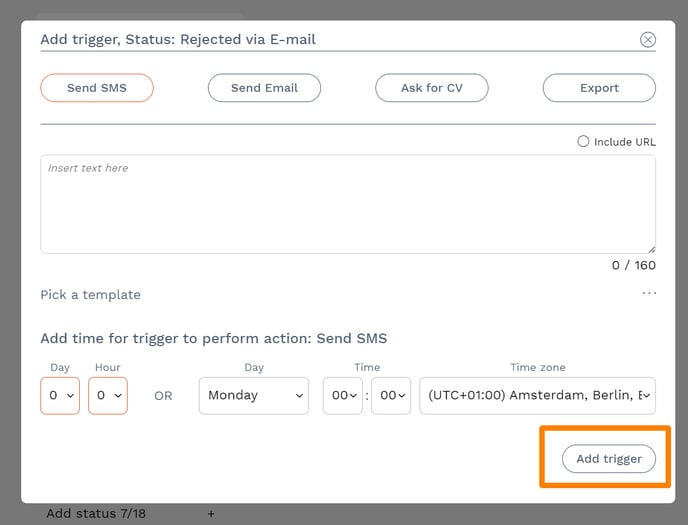
Now you can choose the type of trigger you want; send SMS, send Email, Ask for CV or Export to TIL-Tid/RefApp. Once you have selected your trigger, press "Add trigger" at the bottom right of the page.