![logga.png]](https://forum.higher.nu/hs-fs/hubfs/logga.png?height=40&name=logga.png)
1. Overview > KPI's & Statistics
4. Number of video responses from candidates
7. Total number of qualified applications
8. Total number of jobs selected
9. Total number of jobs created
11. Number of rejected via skills rejection
In KPIs & Statistics you can see exactly how you are attracting candidates and summarize how your recruitments have gone. You can choose to get statistics on one, several or all jobs. Then you can also choose a specific time frame in which you want to have it presented. Once you have selected the information you want to see, you will have a clear summary of your recruitment. To access this, you need to navigate to Overview > KPI's & Statistics
Overview > KPI's & Statistics
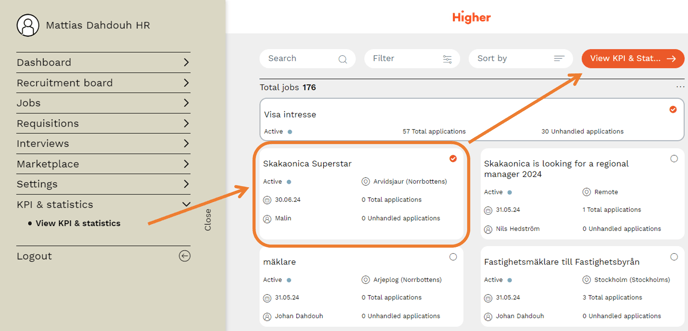
Select the job you want to view, highlight and press “View KPIs & Statistics”.
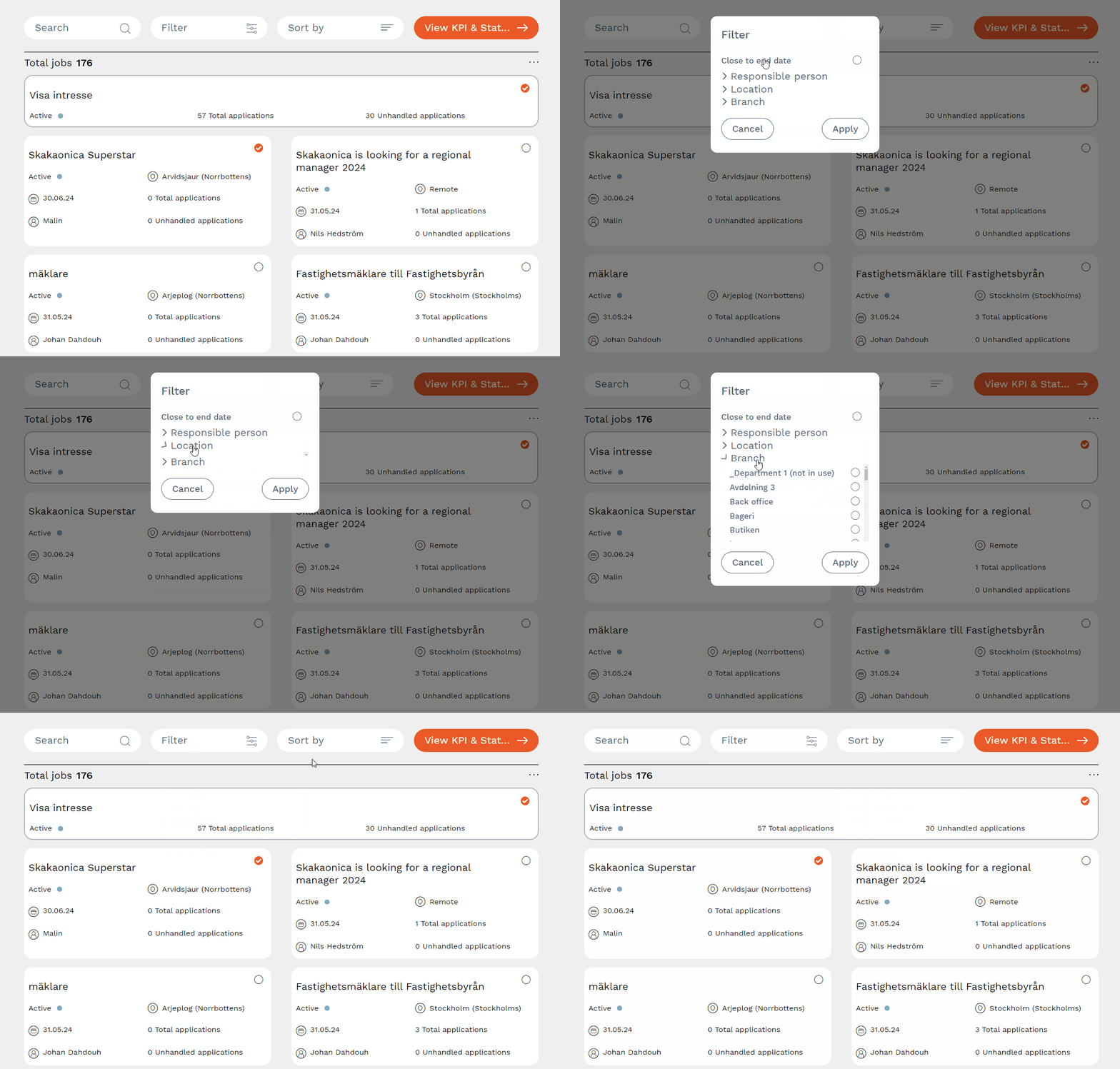
You can search, filter and sort your jobs just like anywhere else in Higher.
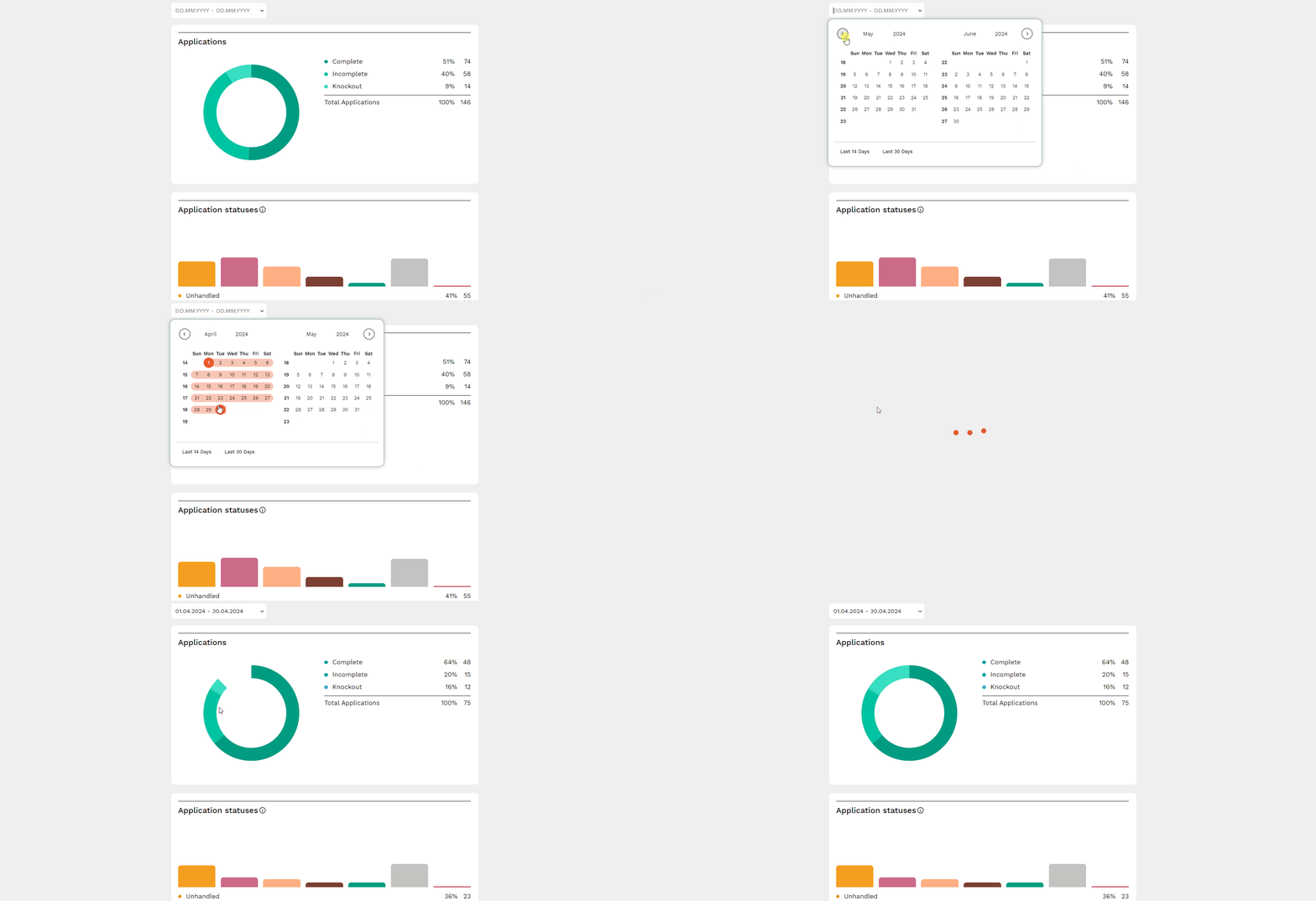
The period is preset to be from the date of publication until today. You can set a range in the date search box if you want to extract statistics for a specific period.
Explanations
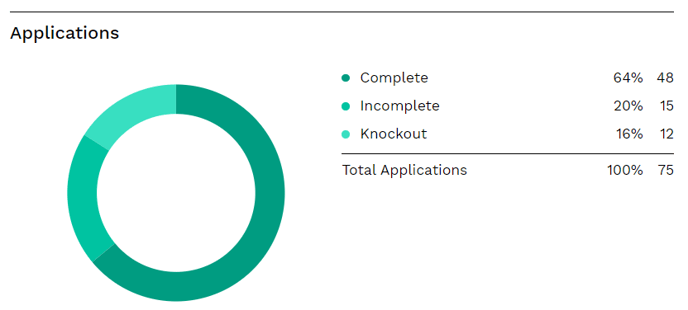
Applications
Complete - percentage of candidates who have completed their application
Incomplete - percentage of candidates who have not completed their applications
Knockout - percentage of candidates who did not make it past the knockout questions
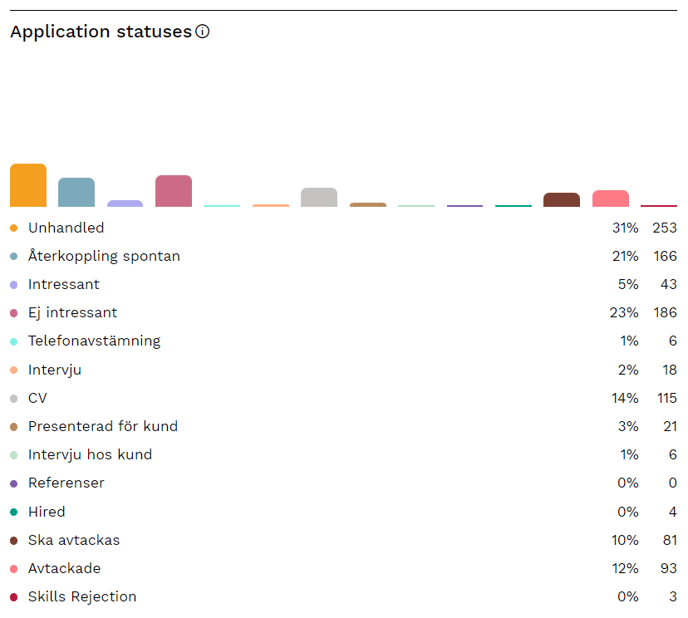
Application statuses
In this view, you can see which status columns the candidates were under in the recruitment board. These numbers give you a valuable insight into how many candidates you have had to take CVs on, how many were dismissed, interviewed, etc.
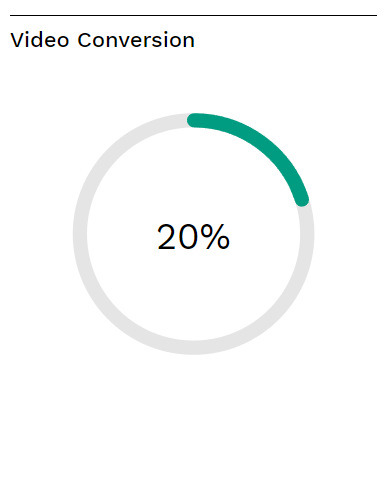
Video Conversion
This graph shows the percentage of candidates who recorded video responses in the video module. If you want to increase this figure, it is important that you as an employer record a video greeting that encourages the applicant to answer the video questions. It may also be a good idea to clarify the application part in the ad text.
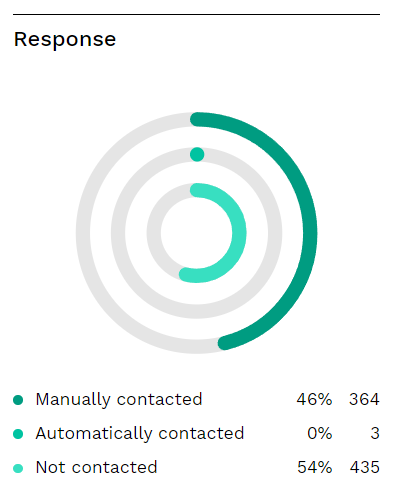
Response
Response gives you an overview of the percentage of candidates who have been informed or contacted in connection with their application.
Automatically contacted measures the number of trigger mailings (thank you by e-mail, question about CV, etc.).
Manually contacted measures the number of times you as a recruiter have contacted them via the candidate card in the recruitment board.
Not contacted means that the candidate has not been contacted at all, either from triggers or by recruiters.
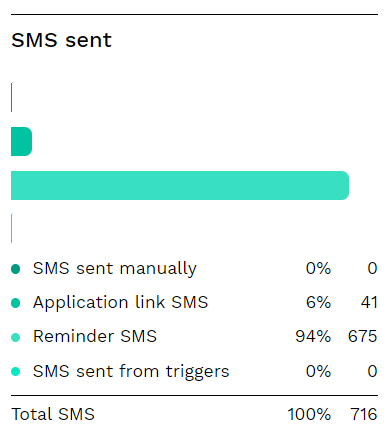
SMS sent
Here you can see the type of SMS and how many of them were sent to candidates
Total qualified applications
Total number of qualified applications. In this example we had 1466 people who tried to apply for the jobs. Of these, 350 were disqualified due to the elimination questions, the remaining 1116 candidates got past these. Hence, we get 1116 qualified applications for these jobs.

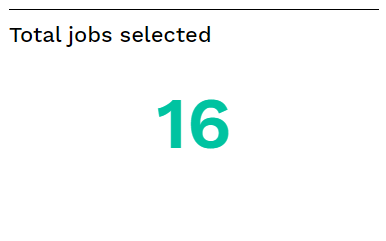
Total jobs selected
Number of selected jobs on which statistics are extracted.
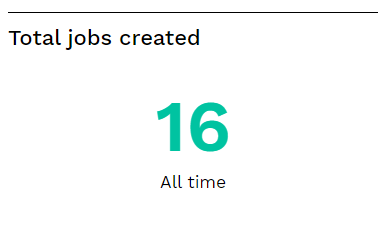
Total jobs created
Number of new jobs posted. This figure is an interesting metric if you want to look at specific periods. E.g. see the difference between how many jobs you posted for the summer of year X compared to the summer of year Y.
Total hires
How many people you have hired. This figure is taken from the number of people in the “Hired” column of the recruitment board.

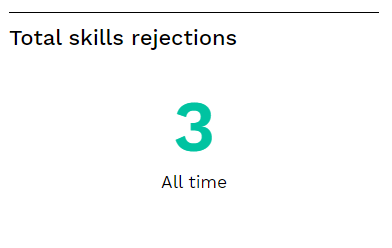
Total skills rejections
If you have a threshold in your ad, you can see how many applicants have been disqualified because they scored too low in the skills module. Then you will be automatically rejected. The information is retrieved from the “Skills rejection” column in the recruitment board.
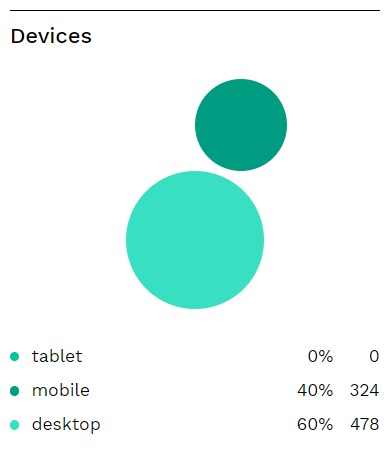
Devices
Here you can see the types of devices your candidates use when making their applications.
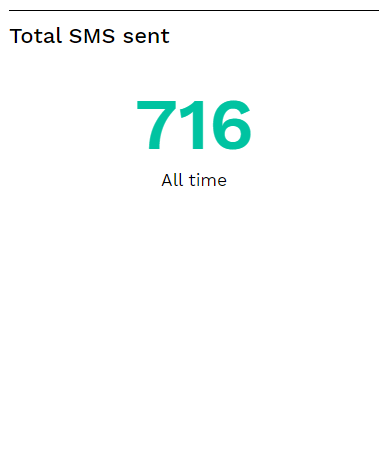
Total SMS sent
Total number of SMS sent for the selected jobs and selected period.
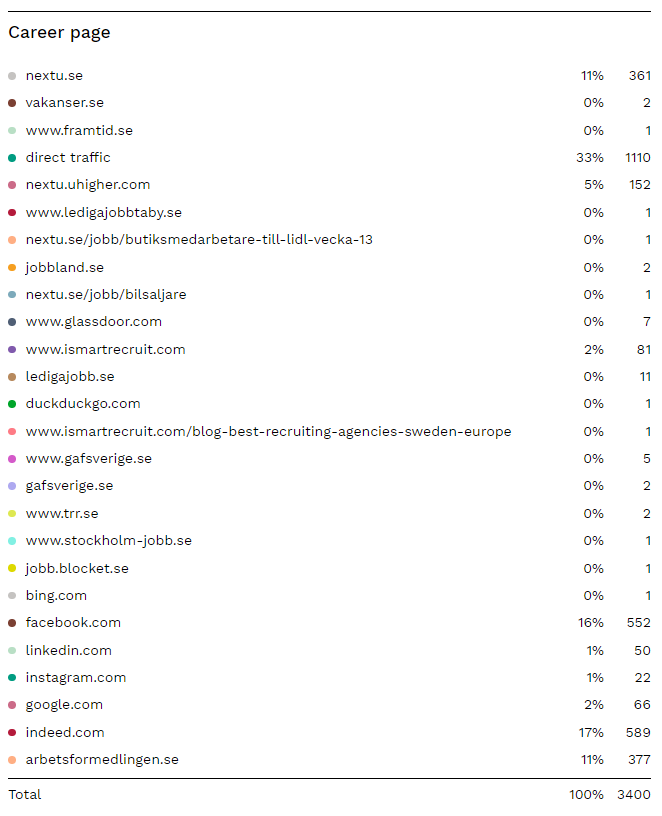
Career page
This board shows how your candidates find their way to your career page and where the traffic is coming from.
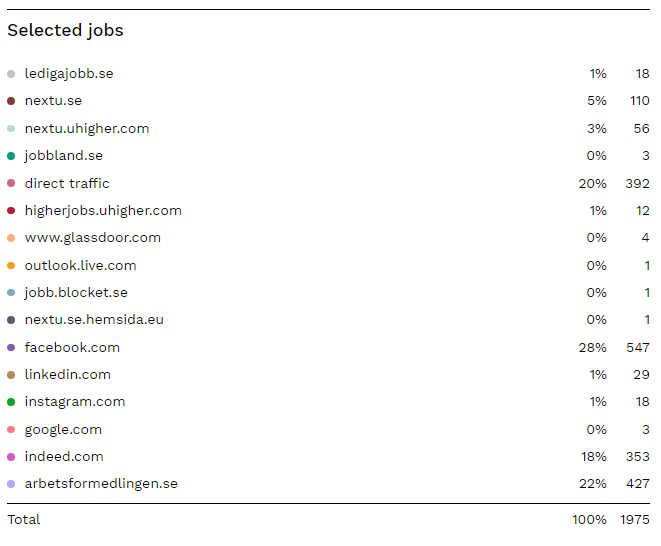
Selected jobs
Here you can see how candidates have found the selected ads.
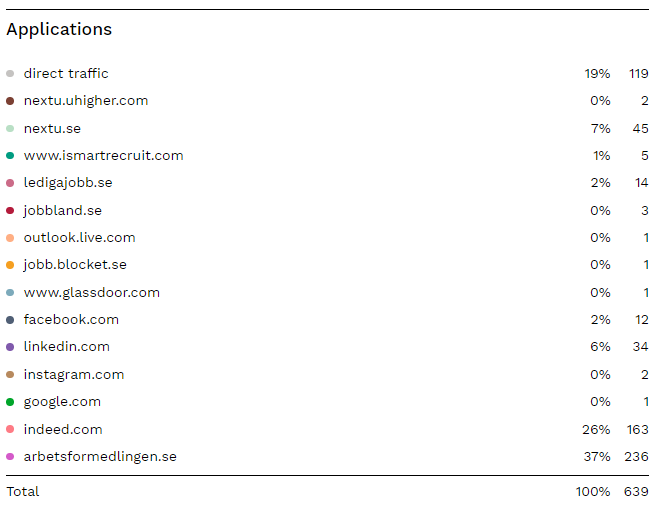
Applications
This shows where converted candidates have come from.