![logga.png]](https://forum.higher.nu/hs-fs/hubfs/logga.png?height=40&name=logga.png)
On the recruitment board, you have the opportunity to filter candidates based on a variety of conditions. With just a few clicks, you can quickly and easily, for example, remind candidates to complete their application, see who has given complete video answers and who hasn't, etc.
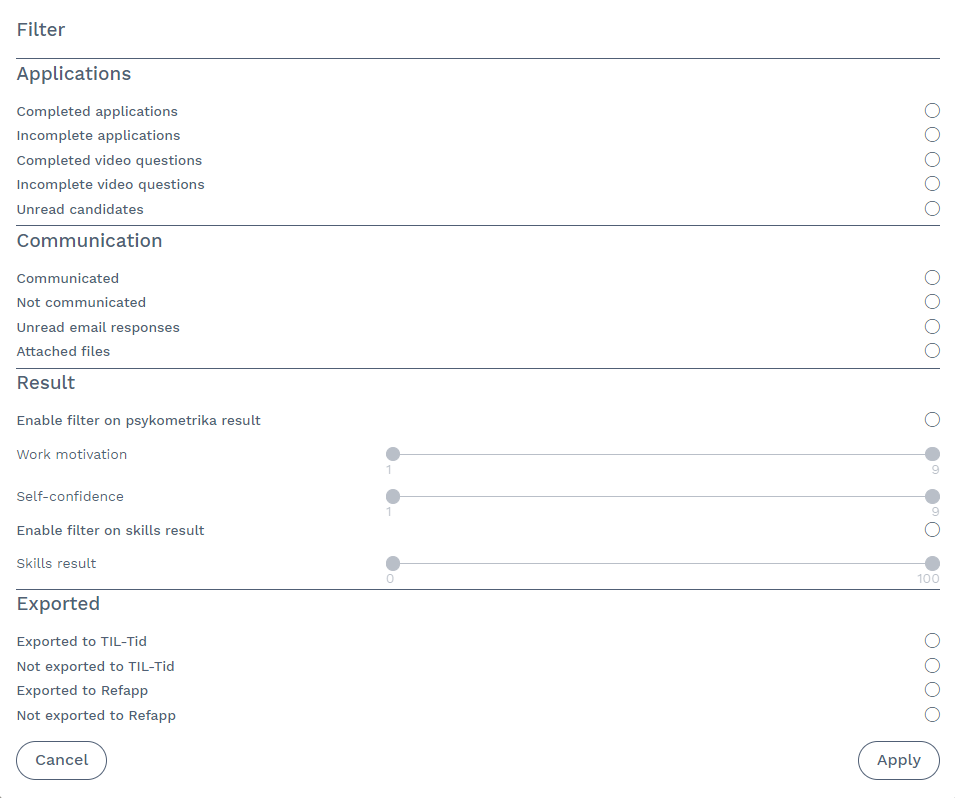
You can filter by:
Applications
Completed applications
Incomplete applications
Completed video answers
Incomplete video answers
Unread candidates
Communication
Communicated
Not communicated
Unread email responses
Attached files
Results
Activate filter on Psykometrika results (personality test)
- Here you can set filters for work motivation and self-confidence
Activate filter on skill results
Export
If you have RefApp and/or a connection to TIL-Tid, you can filter candidates based on whether an export has been made or not.
Once you have made your filter choices, click apply to confirm the selections.
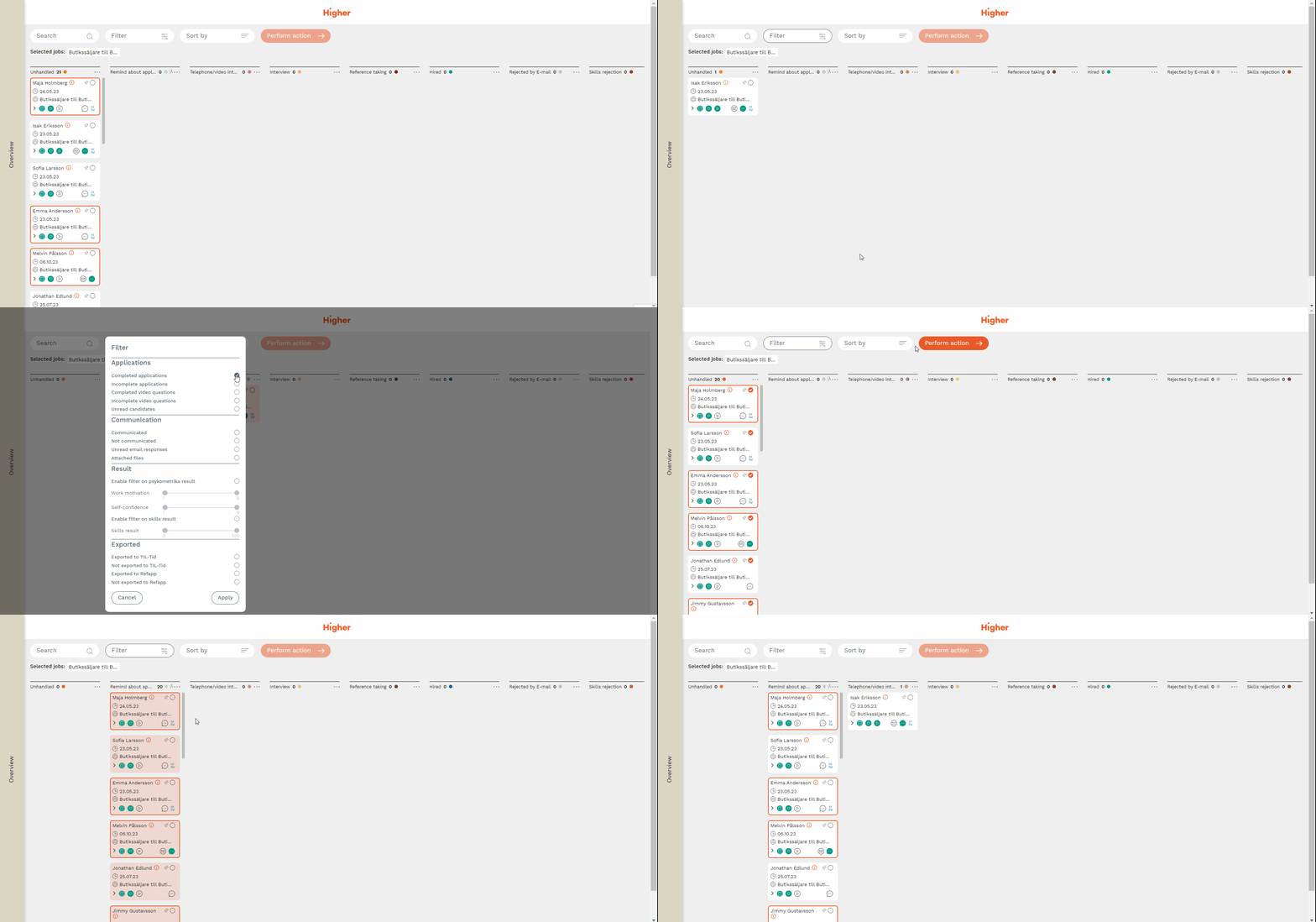
In the example below, you can see how the filter can separate completed applications from incomplete ones. Subsequently, all incomplete applications are moved to the column "Remind about application" where an email trigger is configured to remind the candidates to complete their application.
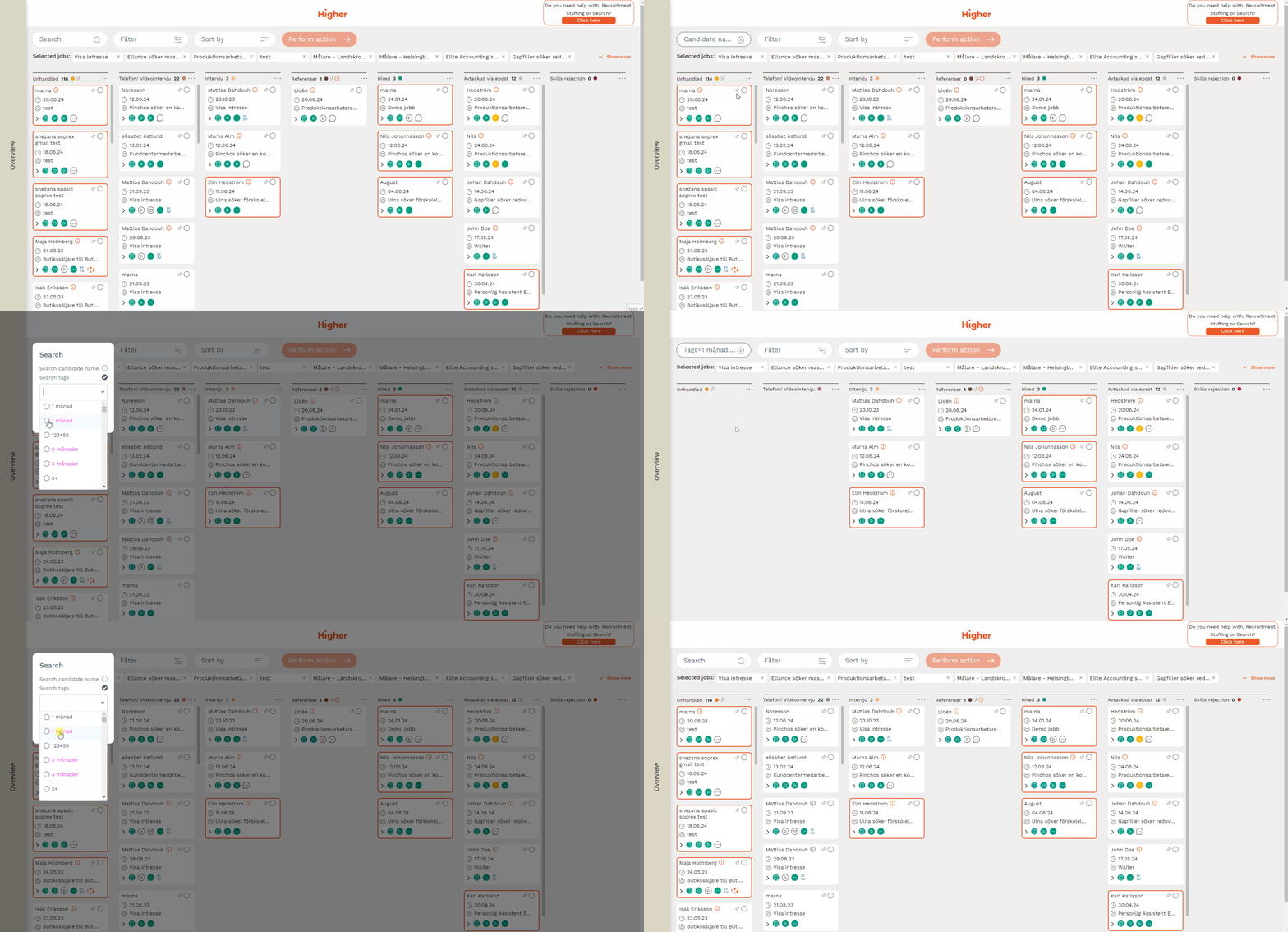
Filter using tags and name
It's also possible to filter candidates using name or tags. When using tags, you can filter using one or more tags in combination.
For example: You want to find someone that can start work within 1 month and has experience working as a chef. If the job ad have these answers tagged, you can narrow your search by simply adding those to tags together in order to check if someone matches those criterias. If no results are shown, then no candidate fits that specific combination of tags. To read more about tags, click here.